
Playwright Syllabus: Complete Beginner to Advanced Playwright Automation Testing Curriculum
If you are searching for the Playwright syllabus, you probably want to know one simple thing:
What exactly should I learn in Playwright Automation Testing to become job-ready?
This guide gives you a complete Playwright syllabus from beginner to advanced level, including Playwright fundamentals, JavaScript or TypeScript basics, locators, browser automation, assertions, waits, handling web elements, API testing, Page Object Model, fixtures, authentication, cross-browser testing, parallel execution, reporting, debugging, Git, CI/CD, real-time projects, and interview preparation.
Table of Contents
ToggleThe goal is not just to learn Playwright commands.
The goal is to learn how to build, execute, debug, maintain, and run real-world automation test frameworks.
If you want to learn these concepts through structured Playwright automation training, explore our Playwright Automation Testing Course in Hyderabad.
What Is the Playwright Syllabus?
A complete Playwright syllabus normally starts with software testing and programming fundamentals and then moves into Playwright browser automation.
A job-oriented syllabus should cover:
Software Testing → Automation Testing → JavaScript/TypeScript → Playwright Setup → Browser Automation → Locators → Actions → Assertions → Auto-Waiting → Web Elements → Frames & Windows → Authentication → API Testing → Page Object Model → Fixtures → Test Data → Cross-Browser Testing → Parallel Execution → Reporting → Debugging → Git → CI/CD → Real-Time Projects → Interview Preparation.
The exact syllabus can differ between training providers, but these are the major skills a learner should understand.
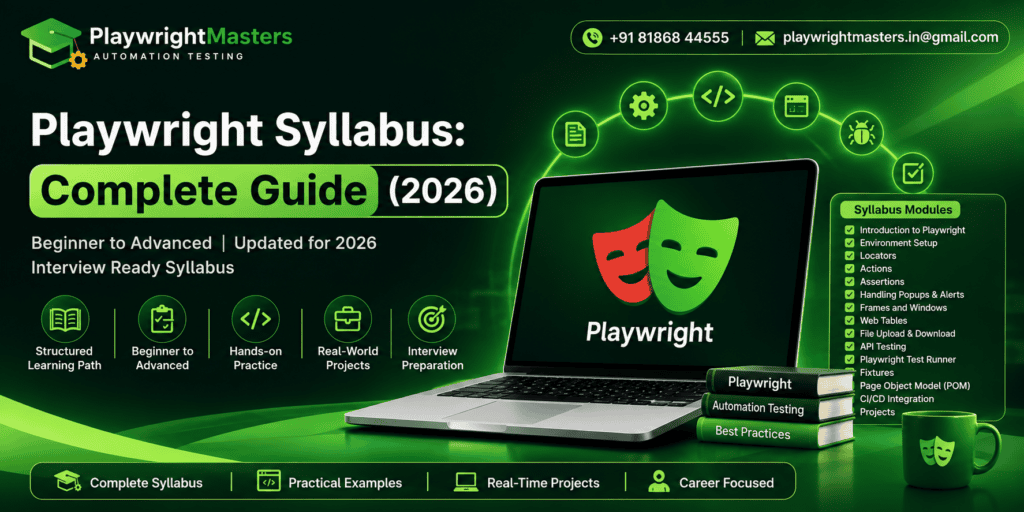
What Is Playwright?
Playwright is an open-source browser automation framework originally developed by Microsoft.
It can automate modern web applications and supports major browser engines such as Chromium, Firefox, and WebKit. Playwright also supports JavaScript, TypeScript, Python, Java, and .NET.
Think of Playwright like a robot that can use a website.
A human can:
- Open a website.
- Enter a username.
- Enter a password.
- Click Login.
- Check whether the dashboard appears.
Playwright can perform the same steps automatically.
That is why Playwright is widely used for end-to-end testing and browser automation.
Why Should You Learn the Playwright Syllabus?
Learning only basic commands is not enough to become a professional Automation Test Engineer.
For example, knowing:
page.goto()
and
page.click()
does not mean you know how to build a maintainable automation framework.
A professional Playwright tester should also understand:
- How to design test cases.
- How to select reliable locators.
- How Playwright waits for elements.
- How to create reusable test code.
- How to handle authentication.
- How to test APIs.
- How to run tests across browsers.
- How to run tests in parallel.
- How to debug failures.
- How to generate reports.
- How to connect tests with CI/CD.
- How to maintain a framework as the application changes.
That is why a good Playwright syllabus should progress from fundamentals to real project implementation.
Complete Playwright Syllabus
The following syllabus is organized from beginner level to advanced level.
Module 1: Software Testing Fundamentals
Before learning automation, understand what testing actually means.
You should learn:
- What is Software Testing?
- Why is Software Testing required?
- Software Development Life Cycle (SDLC)
- Software Testing Life Cycle (STLC)
- Verification and Validation
- Test Scenario
- Test Case
- Test Data
- Test Execution
- Defect/Bug
- Defect Life Cycle
- Severity and Priority
- Smoke Testing
- Sanity Testing
- Regression Testing
- Retesting
- Functional Testing
- Non-Functional Testing
- Integration Testing
- System Testing
- End-to-End Testing
- User Acceptance Testing
- Manual Testing vs Automation Testing
Why is this important?
Playwright is a tool.
Testing knowledge tells you what to test and why to test it.
If you understand Playwright but do not understand testing concepts, you may write automation scripts without testing the right business behavior.
Module 2: Automation Testing Fundamentals
Next, understand how test automation works.
Topics include:
- What is Automation Testing?
- Why automate tests?
- Benefits of Automation Testing
- Limitations of Automation Testing
- Manual Testing vs Automation Testing
- Automation Testing Life Cycle
- What should be automated?
- What should not be automated?
- Test automation strategy
- Test automation framework
- Reusable automation code
- Maintainable test scripts
- Data-driven testing
- Regression automation
The important idea is simple:
Automation should reduce repetitive work without creating difficult-to-maintain tests.
Module 3: Programming Fundamentals for Playwright
You do not need to become a software developer before learning Playwright.
However, basic programming knowledge makes Playwright much easier.
For JavaScript or TypeScript-based Playwright projects, learn:
- Variables
- Data types
- Strings
- Numbers
- Boolean values
- Arrays
- Objects
- Operators
- Conditional statements
- if
- else
- switch
- Loops
- for
- for…of
- Functions
- Arrow functions
- Parameters
- Return values
- Classes
- Objects and methods
- Modules
- Import and export
- Promises
- async
- await
- Error handling
- Basic TypeScript concepts
JavaScript or TypeScript: Which One Should You Learn?
Both can be used with Playwright.
If you are starting a new Playwright Test project, TypeScript is a strong choice for many teams because it provides type checking and editor support, while JavaScript is simpler for beginners.
The official Playwright documentation supports JavaScript and TypeScript through the Node.js ecosystem, along with Python, Java, and .NET.
Module 4: Playwright Introduction
Now start learning Playwright itself.
Topics include:
- What is Playwright?
- Playwright architecture
- Playwright vs Selenium
- Playwright vs Cypress
- Advantages of Playwright
- Playwright use cases
- Supported browsers
- Supported programming languages
- Playwright Test
- Browser
- BrowserContext
- Page
- Locator
- Test
- Expect
- Configuration
You should understand how these pieces connect.
A simple mental model is:
Browser → Context → Page → Locator → Action → Assertion
This model makes the rest of Playwright much easier to understand.
Module 5: Playwright Installation and Project Setup
Learn how to create your first Playwright project.
Topics include:
- Installing Node.js
- Installing Playwright
- Creating a Playwright project
- Understanding the project folder
- Understanding playwright.config.ts
- Installing browser binaries
- Creating the first test
- Running the first test
- Running tests in headed mode
- Running tests in headless mode
- Understanding test files
For example, the official Playwright documentation provides the browser installation command:
npx playwright install
Playwright can install the browser binaries required by the framework.
Module 6: Playwright Project Structure
A beginner should understand what each file does.
A typical project may contain:
- Test files
- Page Object files
- Test data
- Fixtures
- Configuration
- Utilities
- Reports
- Authentication state
- Environment configuration
For example:
playwright-project/
│
├── tests/
├── pages/
├── fixtures/
├── test-data/
├── utils/
├── playwright.config.ts
├── package.json
└── README.md
The exact structure can change depending on the project.
The important goal is to keep tests organized, reusable, and easy to maintain.
Module 7: Browser Automation Basics
Learn how Playwright controls browsers.
Important concepts include:
- Launching a browser
- Creating a browser context
- Creating a page
- Navigating to a URL
- Getting page information
- Closing pages
- Closing contexts
- Closing browsers
- Headed execution
- Headless execution
Common Playwright actions include:
page.goto()
page.reload()
page.goBack()
page.goForward()
page.close()
You should understand what each action does instead of memorizing commands.
Module 8: Locators and Selectors
Locators are one of the most important parts of the Playwright syllabus.
A locator tells Playwright which element you want to interact with.
Examples include:
- getByRole()
- getByText()
- getByLabel()
- getByPlaceholder()
- getByAltText()
- getByTitle()
- getByTestId()
- locator()
The official documentation recommends user-facing locators such as roles and labels because they can make tests more resilient.
For example:
page.getByRole('button', { name: 'Login' })
This is often easier to understand than a long CSS selector.
You should also learn:
- CSS selectors
- XPath
- Text selectors
- Locator chaining
- Filtering
- hasText
- has
- Exact matching
- Regular expressions
- Parent-child relationships
- Dynamic elements
- Multiple matching elements
Important Locator Rule
Do not automatically use XPath for everything.
Prefer stable, user-facing locators when possible.
CSS and XPath can be useful when needed, but long selectors tied closely to the page’s DOM structure can become fragile when the application changes.
Module 9: Playwright Actions
Once you can find an element, you need to interact with it.
Learn:
- Click
- Double click
- Right click
- Fill
- Type
- Press
- Check
- Uncheck
- Select option
- Hover
- Focus
- Blur
- Upload files
- Download files
- Drag and drop
- Keyboard actions
- Mouse actions
Examples include:
click()
fill()
check()
uncheck()
selectOption()
hover()
press()
The goal is to automate actions the same way a real user would interact with the application.
Module 10: Assertions
Actions tell Playwright to do something.
Assertions tell Playwright to check something.
For example:
expect(page).toHaveTitle(…)
or:
expect(locator).toBeVisible()
Learn:
- What is an assertion?
- Hard assertions
- Web-first assertions
- Page assertions
- Locator assertions
- URL validation
- Title validation
- Text validation
- Visibility validation
- Enabled/disabled validation
- Value validation
- Attribute validation
- Count validation
Assertions are essential because a test that only clicks buttons is not really proving that the application worked.
Module 11: Auto-Waiting and Synchronization
One of Playwright’s important features is auto-waiting.
Before performing actions, Playwright checks whether the target element is ready.
For example, before clicking, Playwright checks conditions such as whether the element is visible, stable, able to receive events, and enabled.
Learn:
- Why synchronization is required
- Auto-waiting
- Actionability checks
- Web-first assertions
- Explicit waiting
- Waiting for elements
- Waiting for URL
- Waiting for responses
- Waiting for page state
- Avoiding unnecessary hard waits
- Handling dynamic applications
Why is this important?
Imagine a button appears after two seconds.
A poor automation script may immediately try to click it and fail.
A good Playwright test waits intelligently for the application to become ready.
Module 12: Handling Web Elements
Real websites contain many types of controls.
Learn how to automate:
- Text boxes
- Buttons
- Radio buttons
- Checkboxes
- Dropdowns
- Multi-select controls
- Links
- Tables
- Lists
- Images
- Tooltips
- Search boxes
- Date pickers
- Sliders
- Dynamic elements
You should practice these against real websites rather than only reading examples.
Module 13: Browser Dialogs
Learn how to handle browser dialogs such as:
- Alert
- Confirm
- Prompt
Understand:
- Dialog event
- Accepting dialogs
- Dismissing dialogs
- Reading dialog messages
- Providing prompt values
This is important because some applications still use browser-level dialogs for confirmations and messages.
Module 14: Frames and Iframes
Many web applications use iframes.
Learn:
- What is an iframe?
- Why frames are used
- Detecting frames
- Switching into frames
- frameLocator()
- Interacting with elements inside frames
- Nested frames
- Handling frame-related failures
Playwright provides frameLocator() for locating elements inside frames.
Module 15: Multiple Tabs and Windows
Modern applications may open additional tabs or pages.
Learn:
- New pages
- Multiple tabs
- Popup handling
- Page events
- Switching between pages
- Working with multiple browser contexts
- Validating URLs in new pages
You should understand how Playwright handles a new page created by an action.
Module 16: Authentication and Login Automation
Login is one of the most common real-world automation scenarios.
Learn:
- Username/password login
- Authentication flows
- Session handling
- Cookies
- Local storage
- Session storage
- Authentication state
- Reusing login state
- Logged-in test execution
- Role-based login
- Multi-user authentication
A professional framework should avoid repeating expensive login steps unnecessarily.
Module 17: File Upload and Download
Learn how to automate:
File Upload
- Uploading one file
- Uploading multiple files
- File chooser handling
- Validating uploaded files
File Download
- Waiting for downloads
- Saving downloaded files
- Validating file names
- Validating file existence
- Reading downloaded content
These scenarios are common in banking, HR, e-commerce, healthcare, and enterprise applications.
Module 18: Screenshots and Videos
Learn how to capture evidence when tests run.
Topics include:
- Taking screenshots
- Full-page screenshots
- Element screenshots
- Video recording
- Screenshot on failure
- Video on failure
- Debugging using captured evidence
Evidence becomes especially useful when a test fails in CI/CD and you cannot watch the test running on your own computer.
Module 19: Playwright Test Runner
The Playwright Test runner provides features needed for professional test development.
Learn:
- test()
- expect()
- Test files
- Test descriptions
- Test hooks
- Test configuration
- Test annotations
- Test tags
- Test filtering
- Retries
- Timeouts
- Test dependencies
- Test execution
You should understand how a single test becomes part of a complete test suite.
Module 20: Hooks
Hooks help prepare and clean up test environments.
Learn:
- beforeAll
- afterAll
- beforeEach
- afterEach
Use hooks carefully.
For example, if every test needs a common setup step, a hook may make sense.
But putting too much logic into hooks can make tests difficult to understand.
Module 21: Playwright Fixtures
Fixtures are an important advanced Playwright concept.
Playwright Test uses fixtures to provide the environment and resources needed by tests, while keeping test setup isolated.
Learn:
- What are fixtures?
- Built-in fixtures
- page
- context
- Custom fixtures
- Test-scoped fixtures
- Worker-scoped fixtures
- Fixture setup
- Fixture teardown
- Extending fixtures
- Reusable test environments
Fixtures become especially valuable when building larger frameworks.
Explore the complete Playwright Fixtures tutorial for practical examples of built-in and custom fixtures.
Module 22: Page Object Model
Page Object Model, commonly called POM, is a major topic in a professional Playwright syllabus.
Instead of putting every locator and action directly into the test, you can organize application behavior into reusable page classes.
For example:
LoginPage
enterUsername()
enterPassword()
clickLogin()
DashboardPage
verifyDashboard()
logout()
Benefits include:
- Reusability
- Better organization
- Easier maintenance
- Cleaner tests
- Reduced duplication
Learn:
- What is POM?
- Why POM is used
- Creating page classes
- Locators inside page classes
- Page methods
- Reusable components
- POM with fixtures
- POM for large applications
Module 23: Data-Driven Testing
Real applications need to be tested with different data.
Learn:
- Test data files
- Arrays
- Objects
- JSON test data
- CSV-based data
- Parameterized tests
- Multiple user accounts
- Multiple product data
- Positive test data
- Negative test data
For example, instead of creating ten almost identical tests for ten users, you can design one reusable test and execute it with different data.
Module 24: API Testing with Playwright
Modern QA engineers often test both the frontend and backend.
Playwright supports API testing through its request capabilities.
Learn:
- What is API testing?
- REST API basics
- HTTP methods
- GET
- POST
- PUT
- PATCH
- DELETE
- Headers
- Query parameters
- Path parameters
- Request body
- JSON
- Status codes
- Response validation
- Authentication
- API chaining
- API + UI testing
A strong Playwright tester should understand how UI and API testing can work together.
Module 25: Network Interception and Mocking
Playwright can also work with network traffic.
Learn:
- Network requests
- Network responses
- Request interception
- Response interception
- Mocking API responses
- Blocking requests
- Modifying requests
- Modifying responses
- Testing error responses
- Testing slow responses
- Offline scenarios
This is useful when the real backend is unavailable or when you need to test a particular response reliably.
Module 26: Cross-Browser Testing
One major reason teams choose Playwright is its ability to run tests against multiple browser engines.
Learn:
- Chromium
- Firefox
- WebKit
- Google Chrome
- Microsoft Edge
- Browser projects
- Device emulation
- Desktop testing
- Mobile viewport testing
Playwright documentation explains that projects can be configured to run tests against browsers, devices, and different environments.
A useful strategy is to create separate projects for different browser configurations.
Module 27: Mobile and Device Emulation
You can also learn how to test responsive websites.
Topics include:
- Mobile viewport
- Device emulation
- Mobile Chrome
- Mobile Safari
- Touch behavior
- Device-specific configuration
- Responsive testing
Remember that device emulation is not always identical to testing on a real physical device.
Module 28: Parallel Test Execution
As a test suite becomes larger, running every test one after another can take too long.
Playwright supports parallel test execution.
Learn:
- Workers
- Parallel tests
- Serial tests
- Worker configuration
- Test isolation
- Parallel execution problems
- Shared test data
- Avoiding test dependency
- Parallel execution in CI
The goal is to make a large test suite complete faster without creating unreliable tests.
Module 29: Test Isolation
Good automation should make tests independent whenever possible.
Learn:
- Browser context isolation
- Test data isolation
- Independent test cases
- Avoiding shared state
- Independent authentication
- Database/test environment considerations
- Parallel-safe tests
A test that works only because another test ran before it is usually a weak test.
Module 30: Retries and Flaky Tests
Sometimes tests fail because of temporary problems.
Learn:
- What is a flaky test?
- Common causes of flakiness
- Retry configuration
- Debugging flaky tests
- Better locators
- Synchronization
- Test isolation
- Network instability
- Environment problems
- Avoiding unnecessary retries
Retries should not be used to hide broken tests.
The better approach is to find and fix the underlying cause.
Module 31: Reporting
A professional automation project needs understandable reports.
Learn:
- HTML reports
- Test status
- Failed tests
- Passed tests
- Skipped tests
- Execution duration
- Screenshots
- Videos
- Trace information
- CI reports
- Custom reporting concepts
Playwright’s HTML report provides test execution details, while failed tests can be investigated using traces and other debugging information.
Module 32: Debugging Playwright Tests
Debugging is one of the most important job skills.
Learn:
- Playwright Inspector
- Debug mode
- VS Code debugging
- Screenshots
- Videos
- Console logs
- Network information
- Trace Viewer
- HTML reports
- Error messages
- Locators debugging
- Timeout errors
Trace Viewer is particularly useful because it lets you examine what happened during test execution, including actions, screenshots, DOM snapshots, logs, and network information.
Module 33: Trace Viewer
Trace Viewer deserves special attention.
Learn:
- Creating traces
- Opening traces
- Understanding actions
- Reviewing screenshots
- Inspecting DOM snapshots
- Reviewing network activity
- Checking console information
- Finding the step that failed
A trace is like a black box recorder for your test.
When something fails, it helps you understand what happened.
Module 34: Playwright Configuration
Learn how to configure your framework.
Important configuration areas include:
- testDir
- timeout
- expect
- fullyParallel
- workers
- retries
- reporter
- use
- projects
- baseURL
- Browser settings
- Screenshot settings
- Video settings
- Trace settings
- Storage state
Configuration is where you turn a collection of scripts into a controlled test framework.
Module 35: Environment Management
Real projects usually have multiple environments.
For example:
Development
Testing
Staging
Production
Learn:
- Environment variables
- Base URLs
- Credentials management
- Environment-specific configuration
- .env concepts
- Secure secrets
- Configuration files
- CI environment variables
Never hard-code sensitive passwords or API keys into your test repository.
Module 36: Git and GitHub
Automation engineers need version control skills.
Learn:
- What is Git?
- Repository
- Clone
- Commit
- Push
- Pull
- Branch
- Merge
- Pull request
- .gitignore
- Conflict resolution
- GitHub repository management
You should be able to push your Playwright project to GitHub and explain the project clearly during an interview.
Module 37: CI/CD Integration
This is an important advanced topic.
Learn how to run Playwright automatically through CI/CD systems.
Topics include:
- What is CI/CD?
- Continuous Integration
- Continuous Delivery
- Continuous Deployment
- GitHub Actions
- Jenkins
- GitLab CI
- Pipeline configuration
- Installing dependencies
- Installing browsers
- Running tests
- Storing reports
- Handling artifacts
- Environment variables
- Scheduled test execution
The objective is simple:
A developer pushes code → CI starts → Playwright tests run → results are reported.
Module 38: Docker Basics for Playwright
For advanced learners, Docker is useful.
Learn:
- What is Docker?
- Image
- Container
- Dockerfile
- Containerized test execution
- Installing Playwright in containers
- Browser dependencies
- Running tests inside Docker
- CI/CD + Docker
Docker is not mandatory for every beginner, but it becomes valuable when working with enterprise automation pipelines.
Module 39: Accessibility Testing
Modern applications need accessibility checks.
Learn:
- Accessibility basics
- ARIA
- Roles
- Accessible names
- Keyboard navigation
- Accessibility-focused locators
- Automated accessibility checks
- Integration with accessibility tools
This also reinforces why role-based locators are useful.
Module 40: Visual Testing
Learn the basics of visual validation.
Topics include:
- Screenshot comparison
- Visual regression testing
- Baseline images
- Comparing screenshots
- Handling visual differences
- Managing visual test artifacts
Visual testing can help identify UI changes that functional assertions may not detect.
Module 41: Test Design and Best Practices
A good Playwright syllabus should not stop at commands.
Learn how to write better tests.
Important practices include:
- Prefer reliable locators.
- Keep tests independent.
- Avoid unnecessary hard waits.
- Keep tests readable.
- Reuse common functionality.
- Avoid duplicate code.
- Keep test data manageable.
- Use meaningful test names.
- Keep assertions close to the behavior being verified.
- Fix flaky tests instead of hiding them with retries.
- Keep secrets outside source code.
Playwright’s own best-practices guidance recommends resilient locators and user-facing attributes where possible.
Module 42: Real-Time Project Implementation
This is where theory becomes practical.
A good Playwright course should include real project scenarios.
For example, an e-commerce project can include:
Login
Test valid and invalid login.
Product Search
Search for products and validate results.
Product Selection
Open a product and verify product information.
Cart
Add products to the shopping cart.
Checkout
Enter customer information and complete checkout.
Payment Flow
Validate the payment workflow using an appropriate test environment.
Order Confirmation
Verify order confirmation details.
API Testing
Validate product or order APIs.
Cross-Browser Testing
Run the same tests against multiple browser projects.
CI/CD
Run the project automatically through a pipeline.
This kind of project teaches you how separate Playwright concepts work together.
Module 43: Framework Development
At advanced level, build a reusable framework.
Learn:
- Framework architecture
- Page Object Model
- Fixtures
- Utilities
- Test data
- API helpers
- Configuration
- Environment management
- Reporting
- Logging
- Authentication state
- CI/CD
- Parallel execution
- Retry strategy
- Debugging strategy
The final framework should be something you can explain during a technical interview.
Module 44: Interview Preparation
A job-oriented Playwright syllabus should also prepare you for interviews.
Important questions include:
- What is Playwright?
- How is Playwright different from Selenium?
- What are Playwright locators?
- What is auto-waiting?
- What is BrowserContext?
- What is a Page?
- What are fixtures?
- What is Page Object Model?
- How do you handle authentication?
- How do you handle multiple tabs?
- How do you handle iframes?
- How do you upload files?
- How do you download files?
- How do you run tests in parallel?
- How do you configure multiple browsers?
- How do you handle flaky tests?
- How do you debug failed tests?
- What is Trace Viewer?
- How do you run Playwright in CI/CD?
- How do you design a Playwright framework?
Do not just memorize answers.
Be prepared to explain why you used a particular approach in your project.
Playwright Syllabus: Beginner to Advanced Roadmap
You can think about the entire learning path like this:
Beginner
Software Testing → Automation Basics → JavaScript/TypeScript → Playwright Installation → Browser → Page → Locators → Actions → Assertions
Intermediate
Auto-Waiting → Web Elements → Frames → Windows/Tabs → Authentication → File Handling → Screenshots → Test Runner → Hooks → Fixtures → POM → Data-Driven Testing
Advanced
API Testing → Network Mocking → Cross-Browser Testing → Parallel Execution → Retries → Reporting → Trace Viewer → Configuration → Git → GitHub → CI/CD → Docker → Framework Development
Job Ready
Real-Time Project → GitHub Portfolio → Framework Explanation → Resume → Mock Interviews → Playwright Interview Questions
How Long Does It Take to Learn the Playwright Syllabus?
The time depends on your background.
A beginner who has never worked with automation may need more time because they must learn testing, programming, and Playwright together.
A manual tester with programming experience can usually move faster.
A Selenium automation tester may already understand:
- Locators
- Assertions
- Test cases
- Frameworks
- Browser automation
- Regression testing
- CI/CD concepts
That means the biggest learning curve may be understanding Playwright-specific architecture and practices rather than learning automation from zero.
A practical learning plan can be divided into approximately three stages:
Month 1: Testing fundamentals, programming basics, Playwright fundamentals, locators, actions, assertions and web automation.
Month 2: POM, fixtures, authentication, API testing, cross-browser testing, test data, reporting, debugging and framework development.
Month 3: Real-time projects, CI/CD, advanced framework concepts, GitHub portfolio and interview preparation.
The exact duration should be adjusted according to your existing skills and practice time.
What Should a Beginner Learn First in Playwright?
If you are completely new, do not start with advanced topics such as sharding or complex fixtures.
Follow this order:
- Software Testing basics
- Automation Testing basics
- JavaScript or TypeScript basics
- Playwright installation
- First Playwright test
- Locators
- Actions
- Assertions
- Auto-waiting
- Web elements
- Frames and windows
- Authentication
- Page Object Model
- Fixtures
- API testing
- Cross-browser testing
- Reporting
- Debugging
- Git
- CI/CD
- Real-time project
This sequence reduces confusion because each topic builds on the previous one.
Is JavaScript Required for Playwright?
JavaScript is not the only language available for Playwright.
Playwright supports:
- JavaScript
- TypeScript
- Python
- Java
- .NET
The official documentation notes that the core Playwright automation capabilities are available across supported languages, while the surrounding testing ecosystem differs by language.
For someone beginning with Playwright Test, learning basic JavaScript or TypeScript is highly useful.
You do not need advanced programming knowledge at the beginning.
Is TypeScript Better for Playwright?
TypeScript is a popular choice for Playwright Test projects because it adds static type checking on top of JavaScript.
It can help identify certain coding mistakes before tests run and provides useful editor support.
However, the best choice depends on:
- Your existing skills
- Your company’s technology stack
- Your project requirements
- The language used by your team
The most important thing is not choosing a language because it is popular.
The important thing is becoming capable of writing reliable automation.
Is Playwright Difficult to Learn?
Playwright is not necessarily difficult, but it can become confusing if you try to learn everything at once.
Start with a simple workflow:
Open → Locate → Act → Verify
For example:
Open website → Locate Login button → Enter credentials → Click Login → Verify dashboard
Once this becomes comfortable, move into framework concepts.
The difficult part is usually not learning commands.
The difficult part is learning how to build stable, reusable, maintainable automation
What Skills Will You Gain After Completing the Playwright Syllabus?
After completing a comprehensive syllabus and practicing real projects, you should be able to:
- Create Playwright projects.
- Write browser automation scripts.
- Build reliable locators.
- Automate user workflows.
- Use assertions.
- Work with dynamic elements.
- Handle authentication.
- Work with frames and multiple pages.
- Upload and download files.
- Test APIs.
- Mock network responses.
- Run tests across browsers.
- Run tests in parallel.
- Generate reports.
- Debug failures.
- Use Trace Viewer.
- Build Page Object Model frameworks.
- Create reusable fixtures.
- Use Git and GitHub.
- Run tests in CI/CD.
- Work on real automation projects.
What Should a Good Playwright Course Include?
If you are comparing Playwright training programs, do not choose a course only because it has a long syllabus.
Check whether it includes practical work.
A strong Playwright course should ideally include:
- Beginner-friendly teaching
- JavaScript/TypeScript fundamentals
- Playwright fundamentals
- Locators
- Assertions
- Auto-waiting
- Framework development
- Page Object Model
- Fixtures
- API testing
- Authentication
- Cross-browser testing
- Parallel execution
- Reporting
- Debugging
- Git/GitHub
- CI/CD
- Real-time projects
- Interview preparation
At Playwright Masters, the published curriculum includes Playwright with programming languages, UI and API testing, framework development, cross-browser testing, Git, Jenkins, CI/CD, real-time projects, and career preparation.
If you want to learn these concepts through structured Playwright automation training, explore our Playwright Automation Testing Course in Hyderabad.
Playwright Syllabus at Playwright Masters
The Playwright Masters course roadmap is organized into progressive learning stages.
The first stage focuses on software testing, programming and Playwright fundamentals.
The second stage moves into advanced automation and framework development, including POM, data-driven testing, API testing, cross-browser testing, authentication, reporting and test execution.
The final stage focuses on real-time projects, AI-assisted productivity tools, certification preparation, resume building, LinkedIn optimization and mock interviews.
You can also read more about the training approach:
Who Can Learn Playwright?
Playwright is useful for different types of learners.
Freshers
Freshers can start with testing fundamentals, programming basics and Playwright.
Manual Testers
Manual testers can use Playwright to move toward automation testing.
Selenium Testers
Selenium professionals can transfer many existing testing concepts to Playwright while learning Playwright’s different architecture and features.
QA Engineers
QA engineers can use Playwright for modern UI, API and end-to-end automation.
Developers
Developers can use Playwright to create automated quality checks for web applications.
The key requirement is a willingness to practice.
Playwright Syllabus vs Learning Only Playwright Commands
There is a big difference.
Command-based learning:
goto → click → fill → expect
This is enough for a small demo.
Professional learning:
Testing → Programming → Playwright → Locators → Assertions → Framework → POM → Fixtures → API → Cross-browser → Parallel → Reporting → CI/CD → Project
This prepares you for real-world automation.
That is why you should judge a Playwright syllabus by the practical skills it develops, not by the number of commands listed on the page.
Ready to learn Playwright step by step? Explore the Playwright Automation Testing Course in Hyderabad and see the available training options.
Frequently Asked Questions About Playwright Syllabus
What is the Playwright syllabus?
The Playwright syllabus is the structured list of topics required to learn Playwright automation testing, from basic testing and programming concepts to browser automation, locators, assertions, API testing, framework development, CI/CD and real-world projects.
What are the main topics in the Playwright syllabus?
The main topics include Playwright installation, browser automation, locators, actions, assertions, auto-waiting, web elements, frames, authentication, API testing, Page Object Model, fixtures, cross-browser testing, parallel execution, reporting, debugging, Git and CI/CD.
Is Playwright suitable for beginners?
Yes. Beginners can learn Playwright if they first understand basic software testing and programming concepts and then progress through Playwright step by step.
Is JavaScript required to learn Playwright?
Not necessarily. Playwright supports JavaScript, TypeScript, Python, Java and .NET. However, JavaScript or TypeScript is particularly useful when working with the Playwright Test ecosystem.
Should I learn JavaScript or TypeScript for Playwright?
Both are valid. TypeScript can provide additional type checking and editor support, while JavaScript can feel simpler for beginners.
Does the Playwright syllabus include API testing?
A comprehensive Playwright syllabus should include API testing because modern automation projects often require both UI and backend validation.
Does Playwright support cross-browser testing?
Yes. Playwright can run tests against Chromium, Firefox and WebKit, and can also be configured for branded browsers and device emulation.
What is the most important Playwright topic?
There is no single most important topic. However, locators, assertions, auto-waiting, test design, framework architecture and debugging are especially important for building reliable automation.
Is Page Object Model included in Playwright?
Page Object Model is not a requirement imposed by Playwright itself, but it is a commonly taught framework design approach for organizing reusable page interactions.
What are Playwright fixtures?
Fixtures provide tests with the setup and resources they need. Playwright Test includes built-in fixtures such as page and context, and teams can create custom fixtures for larger frameworks.
Can Playwright run tests in parallel?
Yes. Playwright projects can be configured for parallel execution, and browser/device configurations can be separated into projects.
What is Playwright Trace Viewer?
Trace Viewer is a debugging tool that lets you inspect recorded test execution, including actions, screenshots, DOM snapshots and other information useful for diagnosing failures.
Is Playwright better than Selenium?
Neither tool is automatically better for every situation.
The right choice depends on the application’s requirements, existing automation framework, programming language, team skills, browser requirements, infrastructure and project goals.
How long does it take to learn Playwright?
It depends on your existing testing and programming knowledge. A learner starting from zero needs more time than an experienced automation tester. A practical beginner-to-job-ready roadmap can be organized over several months with consistent hands-on practice.
Can manual testers learn Playwright?
Yes. Manual testers already understand many testing concepts, so they can focus on programming, automation and Playwright-specific skills.
Can freshers learn Playwright?
Yes. Freshers can learn Playwright, but they should first build a foundation in software testing and basic programming.
Is Playwright enough to get an automation testing job?
Learning Playwright alone is not enough. Employers may also expect testing knowledge, programming, API testing, Git, CI/CD, framework knowledge, debugging skills and practical project experience.
Final Playwright Syllabus Checklist
Before calling yourself job-ready, check whether you can confidently do these things:
- Understand software testing fundamentals.
- Explain automation testing.
- Write basic JavaScript or TypeScript.
- Create a Playwright project.
- Configure Playwright.
- Launch and control browsers.
- Navigate between pages.
- Create reliable locators.
- Perform browser actions.
- Write meaningful assertions.
- Understand auto-waiting.
- Handle dynamic elements.
- Handle frames.
- Handle multiple pages.
- Handle authentication.
- Upload and download files.
- Capture screenshots and videos.
- Use hooks.
- Create fixtures.
- Build Page Object Model classes.
- Perform data-driven testing.
- Test APIs.
- Mock network responses.
- Run cross-browser tests.
- Run tests in parallel.
- Manage retries.
- Generate reports.
- Debug failed tests.
- Use Trace Viewer.
- Use Git and GitHub.
- Configure CI/CD.
- Build a reusable automation framework.
- Complete a real-world project.
- Explain your framework in an interview.
If you can do these things through hands-on practice, you are learning Playwright as an automation engineer rather than simply memorizing Playwright commands.
The best Playwright syllabus is not simply a list of commands.
It should take you through the complete journey:
Testing Fundamentals → Programming → Playwright Basics → Locators → Actions → Assertions → Auto-Waiting → Web Automation → Authentication → API Testing → POM → Fixtures → Cross-Browser Testing → Parallel Execution → Reporting → Debugging → Git → CI/CD → Real-Time Projects → Interview Preparation.
If you are a beginner, learn the fundamentals first.
If you are already a Selenium or automation tester, spend more time on Playwright’s locators, auto-waiting, BrowserContext, fixtures, API capabilities, framework design and debugging workflow.
Playwright Masters Team
Playwright Automation Testing Experts | Industry-Focused Training & Practical Learning
Playwright Masters is a dedicated automation testing training platform focused on helping learners build practical skills in Playwright automation testing. Our training covers real-world automation concepts, framework practices, coding, debugging, API testing, cross-browser testing, CI/CD, and interview preparation to help learners develop job-ready testing skills.