
Playwright Network Interception: Advanced Route API and Mocking Guide
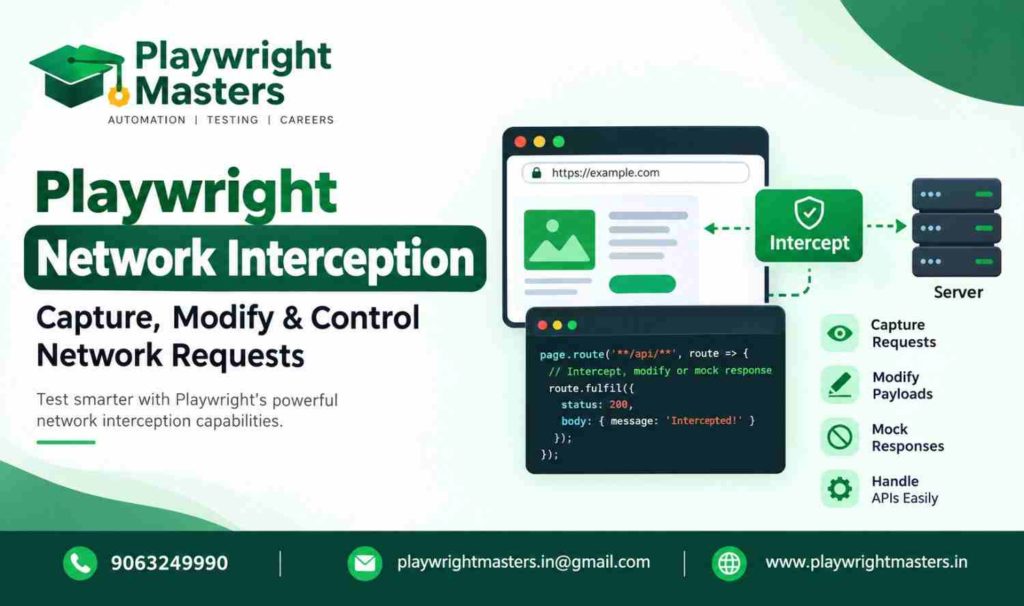
Playwright network interception allows automation testers to intercept browser requests, mock API responses, modify outgoing data, block network resources, and reproduce failure scenarios without depending entirely on live backend services.
The page.route() method is the primary API for intercepting requests from a specific page. With route.fulfill(), testers can return mock responses; route.abort() can simulate network failures; route.continue() sends requests to the network; and route.fallback() passes control to another matching route handler.
Table of Contents
ToggleThese capabilities help teams test frontend behaviour under controlled conditions, including unavailable services, empty search results, expired sessions, and temporary server failures.
This guide explains advanced Playwright network interception techniques with practical TypeScript examples, reusable mocking patterns, and troubleshooting advice for real automation projects.
How Does Playwright Network Interception Work?
Playwright network interception works by registering a route handler that matches a browser request. When a matching request occurs, the handler can return a mock response, modify the request, abort it, or allow it to continue to the server.
The main methods are:
- page.route() — intercept requests from a specific page.
- context.route() — register interception rules across a browser context.
- route.fulfill() — return a controlled response without sending that request to the server.
- route.continue() — send the request to the network, optionally with supported modifications.
- route.fallback() — pass control to another matching handler.
- route.abort() — terminate a request with a network error.
- route.fetch() — obtain the actual response so it can be modified before being returned.
- page.routeFromHAR() — replay matching recorded network traffic from a HAR file.
When should you use network interception? Use it when you need predictable frontend tests, want to simulate unusual API responses, or need to verify how an application behaves when a network request fails.
What Is Network Interception in Playwright?
Network interception means controlling what happens to a browser request before it reaches its intended destination or before its response is delivered to the application.
Imagine an e-commerce application displaying a list of products.
Normally, the browser sends a request to the backend:
Browser → API endpoint → Backend response → Product interface
If the backend is unavailable, testing the interface becomes difficult. You may have to wait for the service to recover or create a special test environment.
Playwright lets you intercept the request and supply predictable data.
Browser → Playwright route handler → Mock response → Product interface
The frontend can now be tested without requiring that particular API request to reach the real backend.
For example:
import { test, expect } from ‘@playwright/test’;
test(‘displays mocked products’, async ({ page }) => {
await page.route(‘**/api/products’, async route => {
await route.fulfill({
status: 200,
json: [
{ id: 1, name: ‘Laptop’ },
{ id: 2, name: ‘Keyboard’ }
]
});
});
await page.goto(‘https://shop.example.com/products’);
await expect(page.getByText(‘Laptop’)).toBeVisible();
await expect(page.getByText(‘Keyboard’)).toBeVisible();
});
The domain in this example is illustrative. Replace it with the application you are testing.
The route must be registered before the application makes the relevant request. Otherwise, the request may already have completed before the handler becomes active.
Network Interception vs API Testing
Network interception and API testing are related, but they solve different testing problems.
API testing sends requests to an actual API and checks the returned status codes, response data, headers, or business rules.
Network interception controls requests made by a browser application during a test.
Consider a login page.
With direct API testing, you might send invalid credentials and verify that the authentication endpoint returns an appropriate error.
With network interception, you can make the browser receive a simulated authentication failure and check whether the login page displays the correct message.
Feature | Direct API testing | Network interception |
Main purpose | Verify API behaviour | Control browser network behaviour |
Actual backend required | Usually yes | Not for fully mocked responses |
Request creation | Test sends the request directly | Browser application sends the request |
Frontend validation | Not necessarily | Yes, when combined with UI assertions |
Error simulation | Depends on the test setup | Easy to reproduce through mock responses |
Typical API | APIRequestContext | page.route() or context.route() |
Both approaches are valuable in a complete automation strategy.
For direct HTTP operations, CRUD workflows, and API response assertions, explore the Playwright API Testing guide.
Understanding the Playwright Route Lifecycle
A route handler determines how Playwright handles a matching request.
The basic lifecycle is:
- Register a route using page.route() or context.route().
- The browser generates a matching request.
- Playwright invokes the applicable route handler.
- The handler fulfils, aborts, continues, or falls back.
- The application receives the resulting response or network failure.
For example:
await page.route(‘**/api/orders’, async route => {
await route.fulfill({
status: 200,
json: {
orderId: 101,
status: ‘confirmed’
}
});
});
This handler supplies a controlled response for matching requests.
Because the request is fulfilled locally, the intercepted request does not need to reach the actual endpoint.
However, the application must still make the request for the handler to run.
A mock response alone does not prove that the real backend works correctly. It proves that the frontend behaves as expected when it receives the supplied response.
How to Use route.fulfill() to Mock API Responses
route.fulfill() completes a matching request by returning a response with the status, headers, and body you specify.
It is useful when you want complete control over the response received by the application.
Example: Mock a successful product response
await page.route(‘**/api/products’, async route => {
await route.fulfill({
status: 200,
contentType: ‘application/json’,
body: JSON.stringify([
{
id: 101,
name: ‘Test Laptop’,
price: 45000,
available: true
}
])
});
});
The same response can be returned more concisely with the json option:
await page.route(‘**/api/products’, async route => {
await route.fulfill({
status: 200,
json: [
{
id: 101,
name: ‘Test Laptop’,
price: 45000,
available: true
}
]
});
});
The json option automatically serializes the supplied data and sets the appropriate JSON content type.
When should you use mocked responses?
Mock responses are especially useful for testing:
- Empty product lists.
- Products with unavailable stock.
- Invalid form submissions.
- Expired sessions.
- Permission-denied screens.
- Temporary server errors.
- Unusual response structures.
- Frontend behaviour before a backend feature is complete.
The important principle is to mock the scenario you want to test rather than replace every backend interaction without a clear reason.
How to Test API Errors and Recovery
A reliable frontend must handle unsuccessful responses correctly.
For example, an order history page might receive a 503 Service Unavailable response. The application should show a clear error message rather than leaving the page blank.
You can reproduce this condition without making the real server return an error.
import { test, expect } from ‘@playwright/test’;
test(‘shows an error when orders are unavailable’, async ({ page }) => {
await page.route(‘**/api/orders’, async route => {
await route.fulfill({
status: 503,
json: {
message: ‘Service temporarily unavailable’
}
});
});
await page.goto(‘https://shop.example.com/orders’);
await expect(
page.getByText(‘Unable to load orders’)
).toBeVisible();
});
The assertion assumes that the application displays the specified error message. Adjust it to match the actual interface.
This technique is valuable because backend failures are not always easy to reproduce consistently in shared environments.
Test an empty response
await page.route(‘**/api/products’, async route => {
await route.fulfill({
status: 200,
json: []
});
});
The frontend should display its empty-state message when the response contains no products.
Test a permission error
await page.route(‘**/api/admin/reports’, async route => {
await route.fulfill({
status: 403,
json: {
message: ‘Access denied’
}
});
});
This allows you to test the user-facing behaviour associated with insufficient permissions.
Remember that a mocked 403 response does not prove that the backend’s authorization rules are secure. Those rules require separate testing against the actual service.
route.continue() vs route.fallback()
These two methods are particularly important when a project uses several route handlers.
route.continue() forwards the request to the server directly, bypassing any other matching route handlers.
route.fallback() passes control to another matching handler, allowing that handler to modify or handle the request before it reaches the network.
Example: Multiple route handlers
await page.route(‘**/api/**’, async route => {
console.log(‘General API handler’);
await route.continue();
});
await page.route(‘**/api/products’, async route => {
console.log(‘Product-specific handler’);
await route.fallback();
});
When both handlers match the product request, the most recently registered handler runs first.
The product-specific handler calls fallback(), so the earlier general handler gets an opportunity to process the request.
The general handler then calls continue(), sending the request to the network.
If the product handler called continue() instead, the general handler would not run for that request.
When should you use each method?
Use continue() when the request should proceed directly to the network.
Use fallback() when another matching route should have an opportunity to inspect, modify, or handle the request.
This distinction is useful when separating common request logging, application-wide headers, endpoint-specific behaviour, and conditional mocks.
How to Modify Outgoing Request Headers
Sometimes a test environment needs an additional header to identify automated requests.
Playwright allows supported request headers to be modified through route options.
await page.route(‘**/api/**’, async route => {
const headers = {
…route.request().headers(),
‘x-automation-test’: ‘true’
};
await route.continue({ headers });
});
This example preserves the headers exposed by the request and adds an automation-specific header.
You can also remove an existing header from the exposed header object when required.
await page.route(‘**/api/**’, async route => {
const headers = {
…route.request().headers()
};
delete headers[‘x-debug-mode’];
await route.continue({ headers });
});
Not every browser-managed header can be overridden reliably. Cookies and certain network-level headers are controlled by the browser and should not be treated like ordinary application headers.
Never place passwords or reusable production authentication tokens directly into test code.
How to Modify a POST Request Body
Playwright can also modify supported data in outgoing requests before sending them to the server.
Suppose an application submits an order and the test needs to add a test-only coupon code.
await page.route(‘**/api/orders’, async route => {
const request = route.request();
if (request.method() !== ‘POST’) {
await route.continue();
return;
}
const originalBody = request.postDataJSON();
await route.continue({
postData: JSON.stringify({
…originalBody,
couponCode: ‘TEST10’
}),
headers: {
…request.headers(),
‘content-type’: ‘application/json’
}
});
});
The handler checks the HTTP method before changing the request.
Other matching methods proceed without the modification.
Since the example uses continue(), the updated POST request is sent to the actual backend instead of returning a simulated response.
Use this technique when request modification is part of the test objective. It should not silently change normal application behaviour across unrelated tests.
How to Mock Different Responses for Repeated Requests
Some applications retry a request after receiving an error.
A counter lets you provide different responses each time the same request is made.
import { test, expect } from ‘@playwright/test’;
test(‘handles a failed request followed by recovery’, async ({ page }) => {
let attempts = 0;
await page.route(‘**/api/status’, async route => {
attempts++;
if (attempts === 1) {
await route.fulfill({
status: 503,
json: {
message: ‘Temporarily unavailable’
}
});
return;
}
await route.fulfill({
status: 200,
json: {
status: ‘ready’
}
});
});
await page.goto(‘https://app.example.com/status’);
// Trigger the application’s retry mechanism here.
// Add assertions that match the actual application.
});
The first matching request receives an error, while subsequent matching requests receive a successful response.
Important: This code does not create a retry automatically. The application or test must trigger another request.
For reliable retry tests, explicitly wait for the relevant UI state and assert that the retry mechanism behaves as intended.
How to Intercept a Request Only Once
Sometimes you want to simulate a temporary failure without affecting later requests.
Playwright supports the times option in route registration.
await page.route(
‘**/api/products’,
async route => {
await route.fulfill({
status: 503,
json: {
message: ‘Service unavailable’
}
});
},
{ times: 1 }
);
The registration applies to one matching request.
This is useful when testing a temporary failure followed by recovery.
Other matching route handlers may still apply after this registration has been exhausted, so consider the complete route configuration when debugging unexpected results.
How to Modify a Real API Response Using route.fetch()
Mocking a complete response is not always necessary.
Sometimes you need to preserve most of the real API response while changing one field.
route.fetch() obtains the actual response without immediately completing the intercepted browser request. You can inspect that response and then use route.fulfill() to return the modified result.
await page.route(‘**/api/profile’, async route => {
const response = await route.fetch();
const profile = await response.json();
await route.fulfill({
response,
json: {
…profile,
accountStatus: ‘suspended’
}
});
});
This example changes the account status while preserving other profile fields.
The frontend can then be tested against a suspended-account scenario without having to alter the backend’s stored data.
However, route.fetch() contacts the actual service. The test therefore remains dependent on network availability, backend availability, and the validity of the original response.
Use it when you need a controlled modification of a real response, rather than a completely isolated mock.
How to Remove a Route Handler
Route cleanup helps prevent unexpected interception later in a test.
You can remove a specific handler with page.unroute().
import { test } from ‘@playwright/test’;
test(‘removes a temporary API mock’, async ({ page }) => {
const handler = async (route: import(‘@playwright/test’).Route) => {
await route.fulfill({
json: {
status: ‘mocked’
}
});
};
await page.route(‘**/api/status’, handler);
// Perform actions that require the mock.
await page.unroute(‘**/api/status’, handler);
// Later matching requests can use the remaining route
// handlers or proceed normally.
});
The example uses an inline Route type for the handler parameter.
Removing a route is useful when one part of a test requires mocked responses and another part needs normal network communication.
For larger projects, keep route registration and cleanup in predictable places so tests do not depend on accidental state left by earlier operations.
How to Mock APIs Across Multiple Pages
A page-specific route applies to the page on which it is registered.
If your test opens another tab, a route registered only on the original page should not be assumed to cover the new page.
Use browserContext.route() when the same interception rule should apply across pages in a browser context.
import { test, expect } from ‘@playwright/test’;
test(‘shares an API mock across pages’, async ({
context,
page
}) => {
await context.route(‘**/api/settings’, async route => {
await route.fulfill({
status: 200,
json: {
theme: ‘dark’
}
});
});
await page.goto(‘https://app.example.com’);
// Open another page within the same context when needed.
// Requests matching the registered route can use the mock.
});
The application URL is illustrative.
Context-level routing is useful when several pages need consistent test data. However, requests handled by Service Workers require special consideration, as discussed later in this guide.
How to Match Requests by URL and HTTP Method
Broad patterns can intercept unrelated endpoints.
For example, a pattern matching every API request might unintentionally mock a DELETE request when you only intended to mock a GET request.
A safer approach is to inspect the request method.
await page.route(‘**/api/products’, async route => {
const request = route.request();
if (request.method() !== ‘GET’) {
await route.continue();
return;
}
await route.fulfill({
status: 200,
json: [
{
id: 1,
name: ‘Laptop’
}
]
});
});
This handler mocks matching GET requests while allowing other HTTP methods to continue.
Playwright’s glob patterns must match the full URL. Use an appropriately specific pattern or a regular expression when more precise matching is necessary.
When debugging an unexpected mock, inspect the actual request URL rather than assuming it matches the pattern you intended.
How to Replay API Responses with HAR Files
A HAR file, or HTTP Archive file, records information about network requests and responses.
Playwright can use HAR files to reproduce matching network traffic during browser tests.
This is useful when an application makes many related API calls and manually creating each mock would require excessive setup.
await page.routeFromHAR(‘tests/data/shop.har’, {
update: false,
notFound: ‘abort’
});
With this configuration, Playwright uses matching recorded responses. Under the HAR routing behaviour, requests that cannot be matched are aborted.
HAR replay generally matches requests using details including the URL and HTTP method. Request matching requirements should be considered when maintaining recorded traffic.
When should you use HAR mocking?
HAR replay is useful when:
- An application depends on multiple related endpoints.
- A stable set of responses is needed for repeatable tests.
- The backend is temporarily unavailable.
- You want to reproduce a previously observed network scenario.
Recorded responses can become outdated when API contracts change.
Before sharing HAR files, review them for sensitive information, including authentication details, cookies, personal data, and internal endpoints.
For authoritative details about recording and replaying network traffic, consult the official Playwright Mock APIs guide.
Why Does Playwright Network Interception Sometimes Fail?
When a route does not behave as expected, investigate the following causes.
Incorrect URL pattern
The route may not match the actual URL.
Check the complete URL, including the path and relevant query parameters.
Route registered too late
If the request has already started before registration, the handler may not intercept it.
Register routes before navigation or before triggering the relevant user action.
Another handler takes precedence
Playwright runs matching route handlers in reverse registration order.
Review the complete set of matching handlers and determine whether each one calls continue(), fallback(), fulfill(), or abort().
Service Worker interference
Service Workers may handle requests in ways that prevent ordinary page or context routing from observing them as expected.
If the test does not need to validate Service Worker behaviour, you can consider blocking Service Workers in the test configuration:
import { defineConfig } from ‘@playwright/test’;
export default defineConfig({
use: {
serviceWorkers: ‘block’
}
});
Apply this configuration only when appropriate for the test objective.
If the test is specifically about Service Worker behaviour, blocking Service Workers would undermine the purpose of the test.
The request is not an ordinary HTTP request
WebSocket communication is different from standard HTTP request-response traffic.
Playwright provides separate WebSocket routing functionality in supported versions. Use the appropriate WebSocket APIs when testing WebSocket messages instead of assuming that page.route() handles them like ordinary HTTP requests.
The Route Handler Leaves the Request Unresolved
A handler must eventually fulfil, abort, continue, or fall back appropriately.
If it remains unresolved, the test may hang or time out.
For more advanced debugging workflows, see the Playwright Debugging guide.
How to Build a Reusable Network Mock Helper
Repeatedly writing the same route configuration in multiple test files makes maintenance harder.
A reusable helper keeps mock data and route registration in one place.
Create a file named helpers/mock-products.ts:
import type { Page } from ‘@playwright/test’;
export async function mockProducts(page: Page) {
await page.route(‘**/api/products’, async route => {
await route.fulfill({
status: 200,
json: [
{
id: 101,
name: ‘Test Laptop’,
available: true
}
]
});
});
}
Use the helper in a test:
import { test, expect } from ‘@playwright/test’;
import { mockProducts } from ‘../helpers/mock-products’;
test(‘displays the mocked product’, async ({ page }) => {
await mockProducts(page);
await page.goto(‘https://shop.example.com/products’);
await expect(
page.getByText(‘Test Laptop’)
).toBeVisible();
});
This structure makes the test easier to read because the route configuration is separated from the UI assertion.
For larger suites, helpers can be extended to support configurable responses, error scenarios, and test-specific data.
Keep shared helpers focused. A single helper that intercepts every API request can become difficult to understand and maintain.
Best Practices for Reliable Network Mocking
Follow these principles when introducing network interception into a production-grade automation suite.
- Register routes before requests begin. This prevents timing-related failures.
- Use specific URL patterns. Avoid intercepting unrelated endpoints.
- Match the HTTP method when necessary. Do not accidentally mock POST, PUT, or DELETE operations when the scenario requires only GET requests.
- Keep mock data realistic. Responses should match the API contract expected by the frontend.
- Test unsuccessful responses. Include empty results, server errors, and permission failures when they are relevant to the application.
- Understand handler precedence. Use fallback() for layered routing and continue() when the request should go directly to the network.
- Clean up temporary handlers. Avoid unexpected interactions between different test scenarios.
- Secure sensitive information. Avoid storing credentials, personal data, or unverified authentication details in HAR files committed to your repository.
- Keep integration tests. Mocked frontend tests cannot prove that the real backend works correctly.
- Assert user-visible behaviour. A route being called successfully does not prove that the application displays the correct result.
- Keep the test objective clear. Each mock should support a specific behaviour you want to verify.
- Use debugging tools when needed. Inspect requests, responses, route registrations, and test traces to identify unexpected behaviour.
Frequently Asked Questions
What is Playwright network interception?
Playwright network interception is the process of controlling browser network requests through route handlers. It can mock responses, modify supported request properties, block requests, and replay recorded HTTP traffic.
What is page.route() used for?
page.route() registers a handler for requests that match a URL pattern or supported matcher on a particular page. The handler decides whether to return a response, abort the request, or send it to the network.
How Do route.fulfill() and route.continue() Differ?
route.fulfill() supplies a response directly to the browser for the intercepted request. route.continue() sends the request to the network, optionally with supported modifications.
What is the difference between route.continue() and route.fallback()?
In Playwright, route.continue() sends a request directly to the network without running other matching route handlers, whereas route.fallback() passes the request to the next matching handler for further processing.
Can Playwright mock API responses without a backend?
Yes. You can use page.route() or context.route() with route.fulfill() to return predefined responses without sending the intercepted requests to the actual endpoints.
Can Playwright modify a real API response?
Yes. route.fetch() can obtain the actual response, after which you can inspect or modify it and return the result using route.fulfill().
Can Playwright replay recorded API traffic?
Yes. Playwright supports HAR-based routing through page.routeFromHAR() and the corresponding browser-context API.
Can Playwright intercept requests from multiple tabs?
Yes. Context-level routing can apply matching interception rules across pages within a browser context, subject to the relevant routing behaviour and Service Worker considerations.
Why is my Playwright route not working?
Common causes include an incorrect URL pattern, late registration, another handler taking precedence, Service Worker interference, or a request that is not covered by ordinary HTTP routing.
Does network mocking replace API testing?
No. Network mocking helps test frontend behaviour under controlled conditions. Direct API testing and integration testing are still necessary to validate real backend behaviour.
Conclusion
Playwright network interception gives automation engineers precise control over browser requests and responses.
By using page.route(), route.fulfill(), route.continue(), route.fallback(), route.fetch(), and HAR-based routing appropriately, testers can reproduce network scenarios that would otherwise be difficult or unreliable to test.
The most maintainable approach combines precise route matching, realistic mock data, clear assertions, sensible cleanup, and appropriate integration tests.
For a broader understanding of automation architecture, explore the Playwright Framework guide.
If you want to build practical skills in Playwright automation, API testing, network mocking, and end-to-end test development, visit Playwright Masters.
Playwright Masters Team
Playwright Automation Testing Experts | Industry-Focused Training & Practical Learning
Playwright Masters is a dedicated automation testing training platform focused on helping learners build practical skills in Playwright automation testing. Our training covers real-world automation concepts, framework practices, coding, debugging, API testing, cross-browser testing, CI/CD, and interview preparation to help learners develop job-ready testing skills.