
Cypress to Playwright Migration Guide: Convert Tests, Fixtures & CI in 2026
Moving an automation project from Cypress to Playwright can be straightforward for simple tests, but complicated for projects with shared login sessions, custom commands, API mocks, and CI workflows.
The biggest challenge is not learning new commands. It is making sure your existing tests still detect the application problems they were designed to catch.
Cypress to Playwright migration is the process of rebuilding Cypress automated tests with Playwright while preserving important test coverage, expected behavior, and execution reliability.
Table of Contents
ToggleA safe migration involves reviewing existing tests, creating a Playwright project, converting essential workflows, updating shared testing utilities, and validating the results before removing Cypress.
This guide shows how to migrate Cypress tests to Playwright using practical TypeScript examples, conversion patterns, common error fixes, and a migration validation checklist.
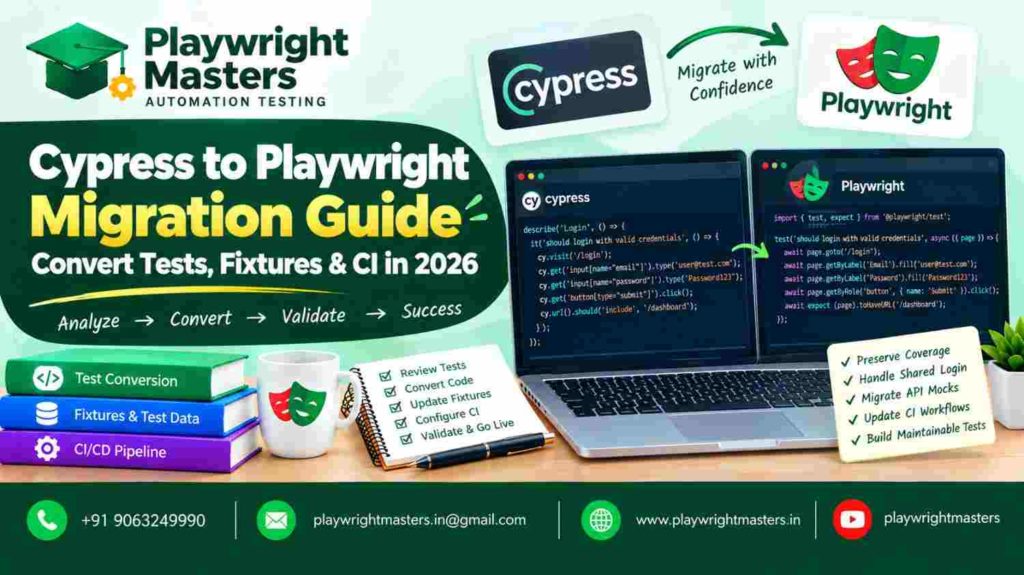
What Is Cypress to Playwright Migration?
Cypress to Playwright migration means replacing Cypress-based test automation with equivalent Playwright tests.
For example, imagine your Cypress suite checks whether a customer can log in, search for a product, add an item to a cart, and complete checkout.
After migration, Playwright should still verify those same important actions.
The code may look different, but the expected application behavior must remain protected.
A complete migration covers three areas:
- Test conversion: Rewriting Cypress browser actions and assertions using Playwright.
- Framework migration: Updating authentication, test data, helpers, configuration, and network handling.
- Migration validation: Confirming that the replacement tests cover important workflows and detect meaningful failures.
The process should improve maintainability without introducing unnecessary changes to what the application is being tested for.
Why Use JavaScript with Playwright?
No. Playwright Test cannot directly execute Cypress test files because their APIs and execution models are different.
Commands such as cy.visit(), cy.get(), and cy.intercept() need suitable replacements.
Some commands have straightforward equivalents. Others require changes to the test structure or synchronization approach.
When Should You Migrate from Cypress to Playwright?
Migration is worth considering when your current testing architecture no longer fits the application’s requirements or your team’s long-term development workflow.
For example, your project might need to test workflows involving multiple tabs, independent browser sessions, or different browser engines.
However, changing frameworks requires engineering effort and introduces temporary maintenance costs.
Before beginning, identify what the migration should achieve and how you will measure success.
If you are still choosing between the frameworks, read our Playwright vs Cypress comparison. That article explains framework selection, while this migration guide focuses specifically on converting an existing Cypress project.
Cypress to Playwright Command Conversion Cheat Sheet
Understanding the common command replacements makes the first migration steps easier.
Cypress | Playwright |
cy.visit(‘/login’) | await page.goto(‘/login’) |
cy.get(‘#email’) | page.locator(‘#email’) |
cy.contains(‘Welcome’) | page.getByText(‘Welcome’) |
cy.get(‘button’).click() | await page.locator(‘button’).click() |
cy.get(‘input’).type(‘John’) | await page.locator(‘input’).fill(‘John’) |
cy.url().should(‘include’, ‘/home’) | await expect(page).toHaveURL(/home/) |
cy.intercept() | page.route() |
cy.fixture() | Import or read test data |
cy.session() | Reusable authentication state |
cy.screenshot() | await page.screenshot() |
These are conceptual mappings rather than identical operations.
For example, Playwright’s fill() replaces the contents of an input. Cypress type() simulates typing into its current value.
Similarly, Cypress network aliases do not have a single universal Playwright replacement.
Choose each new API based on the purpose of the original command.
Step 1: Audit Your Cypress Tests Before Migration
A Cypress migration audit identifies which tests, business workflows, shared utilities, and configurations must be preserved or replaced.
Without this review, developers may spend time converting obsolete tests while overlooking important application behavior.
Begin with an inventory of the existing automation project.
What should you include in the audit?
Record these details:
- Test files and covered user workflows.
- Assertions that verify important outcomes.
- Shared Cypress commands.
- Existing login and session handling.
- Fixture files and data dependencies.
- API interceptions and mocked responses.
- Cypress plugins and environment settings.
- CI jobs, reports, and browser requirements.
Classify tests by their value to the application.
Example migration inventory
Existing workflow | Priority | Migration decision |
User login | Critical | Convert immediately |
Product search | High | Convert after login |
Checkout payment | Critical | Preserve success and failure cases |
Profile editing | Medium | Reuse authenticated setup |
Removed promotion page | Review | Confirm whether testing is still required |
This is an illustrative inventory.
The number of test files alone does not describe the amount of work required.
A short Cypress test that depends on several plugins may need more effort than a longer test containing basic browser interactions.
How do you choose the first test?
Choose a stable test covering a meaningful but manageable workflow.
Avoid starting with a test that already fails unpredictably.
Your first migration should help confirm that Playwright can navigate the application, locate elements, execute actions, and verify outcomes.
Step 2: Install Playwright Without Removing Cypress
Installing Playwright alongside Cypress allows both test suites to operate during the migration.
This provides an opportunity to compare behavior before retiring the original automation.
Browser, Browser Context and Page Initialize Playwright Test
Run:
npm init playwright@latest
Follow the installation prompts.
Choose TypeScript if it matches your project’s coding standards.
Install browser dependencies when required:
npx playwright install
Run the initial tests:
npx playwright test
A successful run confirms that your Playwright project can execute tests in the configured environment.
Recommended project structure
automation-project/
│
├── cypress/
│ ├── e2e/
│ ├── fixtures/
│ └── support/
│
├── tests/
│ ├── login.spec.ts
│ ├── products.spec.ts
│ └── checkout.spec.ts
│
├── test-data/
│ └── users.json
│
├── playwright.config.ts
└── package.json
Keep the frameworks’ test directories separate and configure test discovery carefully.
Do not delete the Cypress files immediately after installing Playwright.
The original suite remains a useful reference until migration validation is complete.
Step 3: Convert a Cypress Test into Playwright
A good first conversion checks the same visible result in both frameworks.
Consider a simple login page.
Original Cypress test
describe(‘Login page’, () => {
it(‘displays the login heading’, () => {
cy.visit(‘/login’);
cy.get(‘h1’)
.should(‘contain.text’, ‘Login’);
});
});
Converted Playwright test
import { test, expect } from ‘@playwright/test’;
test(‘displays the login heading’, async ({ page }) => {
await page.goto(‘/login’);
await expect(
page.getByRole(‘heading’, {
name: ‘Login’
})
).toBeVisible();
});
Both examples verify that the expected heading appears on the login page.
The Playwright version uses an asynchronous test function and a browser page provided by the test runner.
Configure a suitable baseURL when navigating with relative addresses such as /login.
How do you know the conversion is correct?
Run the original and converted tests against the same application version.
Confirm that both detect the expected condition.
For important tests, also check that the converted test fails when the required behavior is deliberately absent.
Successful execution is not enough if the replacement no longer checks the original requirement.
Step 4: Convert Cypress Selectors into Reliable Playwright Locators
Selectors identify the elements used during testing.
Some existing Cypress CSS selectors can be reused in Playwright, but migration provides an opportunity to replace selectors that depend heavily on page structure.
Cypress example
cy.get(‘.submit-button’).click();
Playwright example
await page.getByRole(‘button’, {
name: ‘Submit’
}).click();
The Playwright locator describes the button through its accessible role and name rather than a styling class.
This can make the purpose of the action clearer.
What causes locator failures after migration?
A common problem occurs when the locator matches multiple elements.
Suppose a page contains several buttons named “Edit.”
Instead of selecting the first matching button, locate the relevant section:
const profile = page.getByTestId(‘profile-panel’);
await profile.getByRole(‘button’, {
name: ‘Edit’
}).click();
This narrows the search to the intended area.
For a deeper explanation of roles, labels, test IDs, filtering, and strict mode, see our Playwright Locators guide.
Step 5: Preserve Cypress Assertions During Conversion
Assertions determine whether an application passes a test.
When migrating, preserve the meaning of each important assertion.
Cypress assertion
cy.get(‘[data-testid=”order-status”]’)
.should(‘contain.text’, ‘Completed’);
Playwright assertion
await expect(
page.getByTestId(‘order-status’)
).toContainText(‘Completed’);
Both examples verify that the status contains the expected text.
Playwright’s web-first assertions retry supported checks until the required condition is met or the assertion times out.
This is especially useful when page content changes after an asynchronous operation.
What assertion mistake should you avoid?
Avoid replacing a retrying UI assertion with a one-time value check when the application needs time to update.
For example:
await expect(
page.getByTestId(‘payment-result’)
).toHaveText(‘Payment successful’);
This expresses the expected result without guessing how many seconds the application requires.
Our Playwright Assertions tutorial covers additional matchers, negative assertions, polling, and advanced validation.
Step 6: Migrate Cypress Fixture Files and Test Data
Cypress fixture files commonly contain reusable JSON data.
These files may include product records, sample profiles, or expected response bodies.
Playwright tests can often reuse the same information without changing its structure.
Example JSON data
{
“customer”: {
“name”: “Alex”,
“status”: “Active”
}
}
Playwright test using JSON
import { test, expect } from ‘@playwright/test’;
import data from ‘../test-data/customer.json’;
test(‘shows customer status’, async ({ page }) => {
await page.goto(‘/customer’);
await expect(
page.getByTestId(‘customer-status’)
).toHaveText(data.customer.status);
});
This assumes the project’s TypeScript configuration supports JSON imports and the application provides the expected element.
Do Cypress fixtures and Playwright fixtures mean the same thing?
Not exactly.
Cypress fixtures commonly refer to data loaded for tests.
Playwright Test fixtures can also provide managed resources, such as a prepared browser page, reusable account, or setup operation.
Do not introduce a custom Playwright fixture when a simple JSON import is sufficient.
Learn about fixture lifecycles and reusable resources in our Playwright Fixtures guide.
Step 7: Replace Cypress Custom Commands
Cypress custom commands often group repeated operations into reusable functions.
For example, a project may contain a login command used across many test files.
In Playwright, you can use helper functions, page objects, or custom fixtures, depending on the requirement.
Example reusable login helper
import type { Page } from ‘@playwright/test’;
export async function login(
page: Page,
email: string,
password: string
) {
await page.goto(‘/login’);
await page.getByLabel(‘Email’).fill(email);
await page.getByLabel(‘Password’).fill(password);
await page.getByRole(‘button’, {
name: ‘Login’
}).click();
}
The calling test should verify the result:
await login(page, email, password);
await expect(
page.getByRole(‘heading’, {
name: ‘Dashboard’
})
).toBeVisible();
This separates reusable browser actions from test-specific validation.
Should every Cypress custom command become a page object?
No.
A short helper may be easier to understand than a class containing only one action.
Use page objects when multiple tests repeatedly interact with the same page and benefit from a consistent interface.
Use fixtures when setup and cleanup need to be managed as part of the test lifecycle.
Step 8: Convert Cypress Network Intercepts to Playwright
Network interception is important when tests need predictable API responses or must examine application requests.
Cypress commonly uses cy.intercept().
Playwright provides APIs such as page.route().
Cypress example
cy.intercept(‘GET’, ‘/api/products’, {
statusCode: 200,
body: [
{ id: 1, name: ‘Keyboard’ }
]
});
Playwright example
await page.route(‘**/api/products’, async route => {
if (route.request().method() !== ‘GET’) {
await route.continue();
return;
}
await route.fulfill({
status: 200,
json: [
{ id: 1, name: ‘Keyboard’ }
]
});
});
Register the route before triggering the request.
This example supplies a predictable response to matching GET requests.
How do you replace cy.wait(‘@products’)?
When the goal is to observe a real response, Playwright can wait for a relevant network event.
const responsePromise = page.waitForResponse(
response =>
response.url().includes(‘/api/products’) &&
response.request().method() === ‘GET’
);
await page.getByRole(‘button’, {
name: ‘Load products’
}).click();
const response = await responsePromise;
expect(response.ok()).toBeTruthy();
The response wait is created before clicking the button, so the listener is ready when the request occurs.
Also verify the resulting UI if the original Cypress test checked visible product information.
A successful API response does not automatically prove that the page displayed the correct result.
Step 9: Migrate Cypress Authentication and Sessions
Authentication migration requires attention because many browser tests depend on a logged-in account.
Cypress may use cy.session() to cache login information.
Playwright can save browser authentication state and reuse it in later test contexts.
Save authenticated storage state
After logging in and confirming success:
await expect(
page.getByRole(‘heading’, {
name: ‘Dashboard’
})
).toBeVisible();
await page.context().storageState({
path: ‘playwright/.auth/user.json’
});
The saved file can be loaded by tests that require an authenticated session.
What should you check during authentication migration?
Confirm that the stored session is valid, required account permissions are available, and parallel tests do not interfere with one another.
Authentication files may contain sensitive session information.
Keep them out of Git and other publicly accessible locations.
Note that Playwright’s normal storage state does not automatically preserve every possible session-storage-based authentication implementation.
For setup projects, multiple accounts, session expiry, and worker-based authentication, refer to our Playwright Authentication guide.
Step 10: Convert Cypress Configuration to Playwright
Configuration migration involves moving relevant execution settings into Playwright’s configuration format.
Do not copy Cypress timeout or retry values without examining their meaning.
Example Playwright configuration
import { defineConfig, devices } from ‘@playwright/test’;
export default defineConfig({
testDir: ‘./tests’,
timeout: 30_000,
retries: process.env.CI ? 2 : 0,
reporter: ‘html’,
use: {
baseURL: ‘http://localhost:3000’,
trace: ‘on-first-retry’
},
projects: [
{
name: ‘chromium’,
use: {
…devices[‘Desktop Chrome’]
}
}
]
});
This configuration runs tests from the tests directory, sets a test timeout, enables retries in CI, and configures HTML reporting.
The application must be available at the configured address. A separate webServer configuration can start an application automatically when appropriate.
Start with one browser project while verifying migrated tests.
Expand browser coverage once the new suite behaves reliably.
Step 11: Migrate Cypress CI/CD to Playwright
A Cypress migration is incomplete if the new tests work locally but cannot run consistently in CI.
Continuous integration must install dependencies, prepare browsers, start required services, execute the suite, and retain useful failure information.
Basic Playwright CI commands
npm ci
npx playwright install –with-deps
npx playwright test
These commands assume the project already contains the required dependencies and test configuration.
Your actual workflow may also need environment variables, database setup, application startup, or test-account preparation.
Should both frameworks run in CI during migration?
Yes, when practical.
Running the existing Cypress tests and new Playwright tests during a transition helps identify differences in coverage.
Compare equivalent user workflows rather than relying only on total passed test counts.
Do not remove the old CI job until the replacement suite meets your team’s acceptance criteria.
Step 12: Debug Cypress-to-Playwright Migration Errors
A test that fails after conversion may reveal a genuine application problem or a mistake in the new test implementation.
Identify which one occurred before changing the test.
Playwright’s tracing tools can provide information about actions, navigation, network activity, and browser state.
Run:
npx playwright test –trace on
Open the generated report:
npx playwright show-report
For routine CI runs, collecting traces on failures or retries may be more efficient than recording every execution.
Common migration errors and fixes
Migration problem | Possible cause | Fix |
Element not found | Locator does not match the page | Inspect the target element |
Strict mode violation | Multiple elements match | Narrow the locator |
Login redirects unexpectedly | Authentication state is invalid | Recreate the session |
API mock does not respond | Route pattern or timing issue | Check request matching |
Test passes locally but fails in CI | Environment differs | Compare versions and services |
Parallel tests fail randomly | Shared account or test data | Separate mutable resources |
Tests become slow | Excessive waits or repeated setup | Review synchronization and reuse |
Some requests handled by Service Workers may not be intercepted through normal Playwright routing.
Review the network path before assuming the routing code is incorrect.
Avoid fixing every timeout error by increasing the timeout value.
The correct fix depends on why the expected condition was not reached.
Step 13: Verify Migration Parity Before Removing Cypress
Example migration parity matrix
Workflow | Cypress coverage | Playwright status | Action |
Successful login | Yes | Verified | Complete |
Invalid password | Yes | Verified | Complete |
Product filtering | Yes | Converted | Validate result |
Checkout success | Yes | In progress | Finish conversion |
Payment decline | Yes | Missing | Add replacement |
Account logout | Yes | Verified | Complete |
These values demonstrate how a migration tracking matrix can be organized.
How should migration success be measured?
Review four important dimensions.
Coverage: Do the new tests verify all agreed critical workflows?
Reliability: Do they produce consistent results when the application behaves correctly?
Failure detection: Do they catch meaningful errors instead of passing without adequate assertions?
Operational readiness: Can the team run, debug, and maintain the new suite in CI?
A lower test count does not necessarily mean reduced coverage.
Similarly, a higher count does not guarantee better protection.
The migration should be evaluated using the behavior that the tests actually verify.
Step 14: Estimate Cypress to Playwright Migration Effort
Migration time varies depending on the structure of the existing suite.
A project containing many simple independent tests may be easier to migrate than a smaller suite with complicated shared commands and infrastructure dependencies.
How can you estimate migration accurately?
Choose a sample containing straightforward, intermediate, and complex tests.
Measure the actual time needed for conversion, debugging, code review, and validation.
Use those observations to estimate the remaining work.
Include shared utilities, authentication, CI changes, and test data management.
Do not promise a fixed completion date based only on the number of Cypress tests.
Can you migrate Cypress gradually?
Yes. Gradual migration is often a practical approach.
You can maintain the original Cypress suite while expanding Playwright coverage.
Move critical workflows in controlled groups and update the migration tracker after each group is verified.
This reduces the risk of discovering missing coverage only after the old framework has been removed.
Can AI Automatically Convert Cypress Tests to Playwright?
AI coding tools can assist with Cypress-to-Playwright conversion by suggesting API replacements, drafting test structures, and identifying repeated patterns.
However, generated code is not automatically correct.
An AI tool may replace a command with syntactically valid Playwright code that checks a different behavior or uses an unreliable locator.
How should you use AI safely for migration?
Provide the original test, its expected behavior, and any relevant application context.
Review the generated Playwright code.
Then run the test and confirm it protects the original requirement.
Use AI to reduce repetitive work, not to eliminate engineering validation.
Cypress to Playwright Migration Checklist
Use this checklist before declaring the migration complete:
- Inventory all important Cypress workflows.
- Review outdated and unstable tests.
- Install and configure Playwright.
- Convert representative tests first.
- Preserve essential assertions.
- Review locator reliability.
- Reuse appropriate test data.
- Replace custom commands and helpers.
- Rebuild network mocks and response waits.
- Validate login and authentication state.
- Configure browsers, reports, and CI.
- Compare critical workflow coverage.
- Resolve unstable parallel execution.
- Obtain migration acceptance before removing Cypress.
A completed checklist should reflect verified implementation, not just rewritten code.
Frequently Asked Questions About Cypress to Playwright Migration
1. What is the best way to migrate Cypress tests to Playwright?
The safest approach is to audit the Cypress suite, install Playwright alongside it, convert a representative test, and migrate important workflows in stages. Validate test outcomes and coverage before retiring Cypress.
2. Can Cypress and Playwright coexist in one project?
Yes. Both frameworks can run within the same repository if their configurations and test directories are managed correctly. This arrangement helps teams compare results during migration.
3. What replaces cy.get() in Playwright?
The direct selector-based alternative is page.locator(). Playwright also provides methods such as getByRole(), getByLabel(), and getByTestId() for locating elements through meaningful attributes.
4. What replaces cy.wait() in Playwright?
The replacement depends on the purpose of the wait. Use web-first assertions for UI changes, waitForResponse() for appropriate network responses, or event-based waits when necessary. Avoid arbitrary fixed delays.
5. Can existing Cypress JSON fixtures be reused?
Yes. JSON data can often be reused through imports or filesystem operations. Playwright’s custom fixture system provides additional capabilities for managing reusable test setup and resources.
6. How do you migrate Cypress custom commands?
Simple custom commands can become helper functions. Repeated page interactions may fit page objects, while reusable setup and teardown may fit Playwright fixtures. Choose according to the original command’s responsibility.
7. How do you migrate cy.intercept()?
Use Playwright’s routing APIs, such as page.route(), to intercept matching requests and supply controlled responses. Use network event methods when the test needs to observe requests or responses.
8. Can Playwright reuse a login session?
Yes. Playwright can save authenticated browser storage state and load it in other tests. Protect saved state files and use appropriate account isolation when tests run in parallel.
9. Does Playwright automatically make migrated tests faster?
No. Execution speed depends on test structure, browser configuration, infrastructure, parallelization, and application behavior. Measure performance rather than assuming the new framework will always be faster.
10. What is migration parity?
Migration parity is the process of confirming that the new test suite preserves the important behaviors previously checked by the original suite. It focuses on meaningful coverage rather than equal test counts.
11. Can AI convert an entire Cypress project?
AI tools can help generate conversions, but complex projects still require review of custom commands, authentication, test data, network behavior, and CI. Every important converted workflow should be validated.
12. When should Cypress be removed after migration?
Remove Cypress only after the Playwright suite meets agreed coverage, reliability, and CI requirements. Important application scenarios should not be left unprotected during the transition.
Conclusion: Complete Your Cypress to Playwright Migration with Confidence
Cypress to Playwright migration succeeds when the new automation protects the application as effectively as the original suite.
Begin with a clear understanding of existing tests. Convert important workflows first, preserve their assertions, and validate them before moving to more complex cases.
Pay particular attention to shared authentication, network mocks, test isolation, and CI because mistakes in these areas can affect many tests simultaneously.
The goal is not simply to replace Cypress commands. It is to build a Playwright suite that remains dependable as the application changes.
For more practical tutorials, testing concepts, and automation learning resources, explore Playwright Masters.
Is Playwright JavaScript Good for Beginners?
Yes.
You do not need to be an expert JavaScript developer before starting.
A beginner should focus first on:
Basic JavaScript
↓
async/await
↓
Playwright installation
↓
First test
↓
Locators
↓
Assertions
↓
Real workflows
Once those concepts are comfortable, move into fixtures, POM, API testing, authentication, debugging, parallel execution and CI/CD.
The mistake is trying to learn the entire framework before writing a single useful test.
What Makes a Good Playwright JavaScript Test?
A good test should be:
Readable
Another tester should understand what it is verifying.
Independent
It should avoid unnecessary dependence on another test.
Stable
It should use appropriate locators and synchronization.
Focused
One test should have a clear purpose.
Observable
When it fails, the team should have enough information to investigate.
Maintainable
The code should not become expensive to change when the application evolves.
The objective is not simply:
“Make the test pass.”
The stronger objective is:
Make the test continue to communicate and verify the intended behavior as the application changes.
Frequently Asked Questions About Playwright JavaScript
What is Playwright JavaScript?
Playwright JavaScript means using JavaScript with Playwright to automate and test web applications. With Node.js, Playwright provides a dedicated test runner and testing ecosystem for writing browser-based tests.
Is Playwright JavaScript good for beginners?
Yes. Beginners can start with basic JavaScript, learn async/await, create a Playwright project and gradually progress from simple browser actions to framework architecture.
What JavaScript knowledge is required for Playwright?
You should understand variables, functions, objects, arrays, modules, promises and async/await. Advanced JavaScript is not required on day one.
Is Playwright better with JavaScript or TypeScript?
Neither is universally better. JavaScript provides a simpler entry point, while TypeScript adds static typing and can provide stronger tooling for larger codebases.
How do I install Playwright with JavaScript?
Use the Playwright project initializer:
npm init playwright@latest
Then select JavaScript during project setup.
Can Playwright JavaScript perform API testing?
Yes. Playwright’s Node.js testing ecosystem provides API request capabilities that can be used for API testing and for preparing data used by UI tests.
Can Playwright JavaScript run tests in parallel?
Yes. Playwright Test supports parallel execution through workers. Tests should therefore be designed with isolation and independent data in mind.
Can Playwright JavaScript be used in CI/CD?
Yes. Playwright tests can be executed from CI pipelines after installing project dependencies and the required browser binaries.
What is Playwright Test?
Playwright Test is the Node.js test runner and testing framework that provides features such as tests, assertions, fixtures, configuration, parallel execution and reporting.
Can Selenium users learn Playwright JavaScript?
Yes. Selenium users already understand many browser-automation concepts. The main learning shift is understanding Playwright’s locator model, browser contexts, fixtures, auto-waiting, web-first assertions and test architecture.
Final Takeaway
Learning Playwright JavaScript should not stop at writing a script that clicks a button.
The real progression is:
JavaScript
↓
Playwright basics
↓
First test
↓
Locators
↓
Assertions
↓
Browser Contexts
↓
Hooks & Fixtures
↓
Page Object Model
↓
API Testing
↓
Authentication
↓
Debugging
↓
Parallel Execution
↓
CI/CD
↓
Real Projects
That progression turns isolated automation scripts into a maintainable testing approach.
If you want to continue from this JavaScript foundation into the wider Playwright ecosystem, PlaywrightMasters can serve as the broader Playwright learning hub, with resources covering locators, assertions, hooks, fixtures, framework architecture, API testing, debugging, roadmap and real-world projects.
The most important principle is simple:
Learn JavaScript well enough to express your testing logic, then use Playwright to solve real testing problems.
Playwright Masters Team
Playwright Automation Testing Experts | Industry-Focused Training & Practical Learning
Playwright Masters is a dedicated automation testing training platform focused on helping learners build practical skills in Playwright automation testing. Our training covers real-world automation concepts, framework practices, coding, debugging, API testing, cross-browser testing, CI/CD, and interview preparation to help learners develop job-ready testing skills.