
Playwright Interview Questions and Answers
Complete Guide (2026)
Preparing for a Playwright interview means more than memorizing syntax, interviewers want real understanding. This guide covers 120 Playwright interview questions and answers, from fundamentals to advanced scenarios, matched to your experience level, whether you’re a fresher or an experienced SDET. Use it to walk in ready to explain concepts in your own words, not repeat memorized lines.
Table of Contents
ToggleDownload 120 Playwright Interview Questions and Answers PDF
Preparing for a Playwright interview? Get the complete set of 120 Playwright interview questions and answers in PDF format for quick revision, offline practice, and interview preparation.
Inside the PDF:
- Playwright fundamentals and core concepts
- Playwright setup and architecture
- Locators and element handling
- Browser, page, and context concepts
- Assertions and waits
- Test automation and debugging
- Practical and real-world scenarios
- Advanced Playwright interview questions
- Questions for freshers and experienced professionals
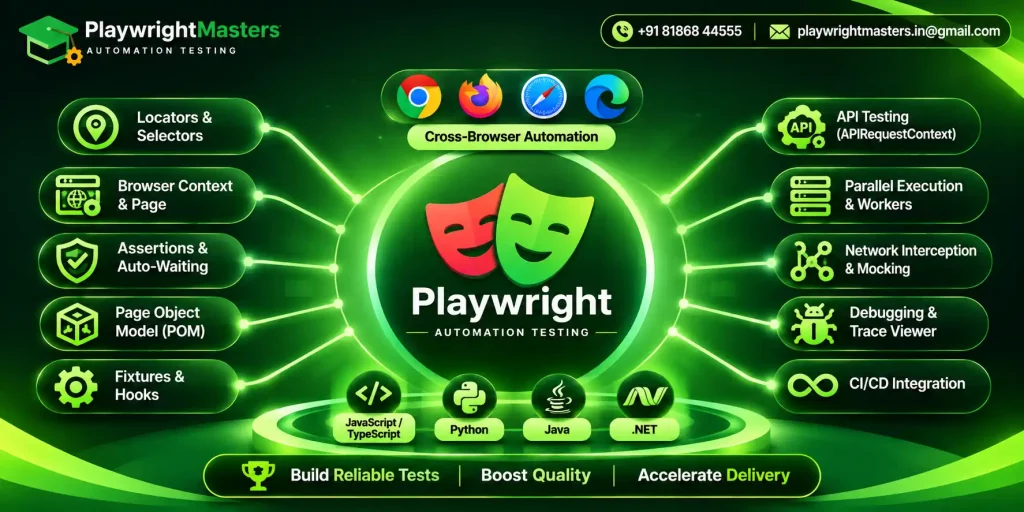
If you are preparing for a Playwright automation testing interview, knowing syntax alone is not enough. Interviewers can test your understanding of browser automation, locators, assertions, fixtures, browser contexts, Page Object Model, API testing, debugging, parallel execution, CI/CD, and real-world test design.
This guide brings together 120 Playwright interview questions and answers, progressing from fundamentals to advanced and scenario-based topics. It is designed for freshers, automation testers, SDETs, QA engineers, and experienced professionals.
Playwright currently supports automation across Chromium, Firefox, and WebKit, with language support for TypeScript, JavaScript, Python, Java, and .NET. Its testing ecosystem includes features such as auto-waiting, assertions, tracing, parallel execution, and test isolation.
Whether you are preparing for your first interview or a senior automation testing role, use the questions below to identify what you know, what you need to revise, and how well you can explain Playwright in practical situations.
How to Use This Playwright Interview Guide
Do not try to memorize all 120 answers word for word.
A better approach is to understand the concept behind each answer and practice explaining it in your own words.
| Preparation level | Focus on |
|---|---|
| Fresher | Fundamentals, locators, assertions, browser concepts, basic coding |
| 1 to 2 years | Framework concepts, fixtures, POM, waits, debugging, API testing |
| 3+ years | Architecture, scalability, parallelism, CI/CD, authentication, advanced debugging |
| SDET / Senior QA | Framework design, trade-offs, reliability, performance, CI/CD and real-world scenarios |
Part 1: Playwright Fundamentals
These questions establish whether you understand what Playwright is, why teams use it, and how it fits into automation testing.
1. What is Playwright?
Playwright is a free, open-source framework for automating web browsers, built and maintained by Microsoft. It lets developers and QA engineers write automated tests that run consistently across all major browser engines, including Chromium, Firefox, and WebKit, from a single codebase.
It can be used for:
- End-to-end testing
- UI automation
- API testing
- Cross-browser testing
- Mobile browser emulation
- Network interception
- Authentication testing
- Debugging and test reporting
2. What is Playwright used for?
Playwright is primarily used to automate and test modern web applications.
For example, a tester can automate a complete e-commerce flow:
- Open the website
- Log in
- Search for a product
- Add it to the cart
- Complete checkout
- Verify the order confirmation
This makes Playwright a solid fit for regression, smoke, functional, end-to-end, and cross-browser testing alike.
3. Why is Playwright popular for automation testing?
Playwright provides several features that make modern browser automation easier:
- Built-in auto-waiting
- Web-first assertions
- Browser isolation through contexts
- Cross-browser testing
- Parallel test execution
- Network interception
- API testing
- Trace Viewer
- Test retries
- Multiple language bindings
- CI/CD support
These features reduce the amount of custom infrastructure testers need to build.
4. Which browsers does Playwright support?
Browser engine | Playwright support |
Chromium | Yes |
Yes | |
WebKit | Yes |
Chrome | Supported through Chromium-based browser channels |
Microsoft Edge | Supported through Chromium-based browser channels |
Safari | Tested through Playwright’s WebKit implementation rather than the branded Safari browser |
Playwright’s official documentation specifically distinguishes its WebKit browser from branded Safari.
5. Which programming languages does Playwright support?
Playwright provides bindings for:
- TypeScript
- JavaScript
- Python
- Java
- .NET
The available testing ecosystem differs by language. For instance, Node.js projects typically rely on Playwright Test as the go-to runner, whereas Python developers more often reach for the Playwright Pytest plugin.
6. Should Playwright be classified as a testing framework, or is it more of a general browser automation tool?
It can be viewed as both, depending on how it is used.
The Playwright library provides browser automation capabilities, while Playwright Test provides a complete testing framework for JavaScript and TypeScript projects.
Playwright Test includes features such as:
- Test runner
- Assertions
- Fixtures
- Parallel execution
- Reporting
- Retries
- Tracing
- Test isolation
7. What is end-to-end testing?
End-to-end testing verifies an application from the user’s perspective across a complete workflow.
For example:
Login -> Search -> Add product -> Checkout -> Payment -> Order confirmation
Instead of testing one function in isolation, an E2E test checks whether different parts of the application work together correctly.
8. What is cross-browser testing?
Cross-browser testing verifies that an application works correctly across different browser engines.
With Playwright, the same test suite can be configured to run against Chromium, Firefox, and WebKit.
This helps identify browser-specific issues.
9. What is browser automation?
Browser automation lets a script open, click, and navigate a web browser on its own, no human clicking required.
For example:
await page.goto('https://example.com');
await page.getByRole('button', { name: 'Login' }).click();
Instead of manually clicking the button, Playwright performs the action automatically.
10. What are the main advantages of Playwright?
The major advantages include:
- Cross-browser automation
- Auto-waiting
- Reliable locators
- Browser context isolation
- Parallel execution
- API testing
- Network interception
- Built-in debugging tools
- Trace Viewer
- CI/CD integration
- Multiple programming language options
The official documentation emphasizes auto-waiting, test isolation, resilient locators, parallelism, and sharding as important Playwright capabilities
Part 2: Playwright Setup, Architecture and Core Concepts
Understanding the internal building blocks of Playwright is important because interviewers often move from basic definitions to architecture questions.
11. What is the basic architecture of Playwright?
A simplified Playwright architecture can be understood as:
Test -> Playwright API -> Browser -> Browser Context -> Page -> Web Application
The test sends commands through Playwright’s API. Playwright controls the browser, creates isolated browser contexts, and interacts with pages inside those contexts.
12. What is a Browser in Playwright?
A Browser represents a browser instance such as Chromium, Firefox, or WebKit.
Example:
const browser = await chromium.launch();
The browser can then be used to create one or more browser contexts.
13. What is Browser Context?
A BrowserContext is an isolated browser session.
It functions much like a brand-new, untouched browser profile. Cookies, local storage, session storage, and other session information can be isolated between contexts.
Example:
const context = await browser.newContext();
const page = await context.newPage();
This isolation is one of the important reasons Playwright tests can run independently.
14. What is a Page in Playwright?
A Page represents a browser tab or page.
You use the Page object to:
- Navigate to URLs
- Locate elements
- Click buttons
- Fill forms
- Read content
- Handle dialogs
- Interact with frames
Example:
await page.goto('https://example.com');
15. What is the difference between Browser, BrowserContext and Page?
Object | Meaning |
Browser | Browser instance |
BrowserContext | Isolated browser session |
Page | Individual browser tab |
A common relationship is:
Browser -> Context -> Page
One browser can contain multiple contexts, and each context can contain multiple pages.
16. Why is BrowserContext important in Playwright?
Browser contexts provide test isolation.
For example, Test A can have one user’s cookies while Test B has another user’s cookies. Their sessions do not need to interfere with each other.
This makes parallel and independent testing easier.
17. What is Playwright Test?
Playwright Test is the test runner provided for Playwright’s Node.js ecosystem.
It provides:
- Test organization
- Assertions
- Fixtures
- Hooks
- Parallel execution
- Retries
- Projects
- Reporting
- Tracing
- Configuration
18. How do you install Playwright?
For a typical Node.js project, you can initialize a Playwright project using:
npm init playwright@latest
The setup can create the configuration, test directory, example test, and browser installation.
19. What is playwright.config.ts?
playwright.config.ts is the central configuration file for a Playwright Test project.
It can define:
- Browsers
- Projects
- Base URL
- Retries
- Workers
- Timeouts
- Reporters
- Screenshots
- Videos
- Traces
- Test directories
This keeps project-level settings centralized.
20. What is a Playwright project?
A project is a configuration that allows the same test suite to run under different settings.
For example, you can create projects for:
- Chromium
- Firefox
- WebKit
- Mobile devices
- Different environments
This is particularly useful for cross-browser testing.
Part 4: Auto-Waiting, Assertions and Synchronization
31. What is auto-waiting in Playwright?
Auto-waiting means Playwright automatically waits for an element to become actionable before performing certain actions.
For example, before click(), Playwright checks conditions such as visibility, stability, receiving events, and enabled state.
32. Why is auto-waiting important?
Modern web applications often load content dynamically.
Without proper synchronization, a test might attempt to click an element before it is ready.
Auto-waiting reduces the need for arbitrary delays and can make tests more reliable.
33. What are web-first assertions?
Web-first assertions automatically retry until the expected condition is met or the assertion times out.
Example:
await expect(
  page.getByText('Order successful')
).toBeVisible();
Instead of checking once, Playwright waits for the condition to become true.
34. What is the difference between expect() and a normal value check?
A Playwright assertion such as:
await expect(locator).toBeVisible();
is designed for asynchronous web conditions and automatically retries.
A normal JavaScript check such as:
if (value === 'Success')
does not provide Playwright’s automatic retry behavior.
35. What is a timeout in Playwright?
A timeout defines how long Playwright waits for an operation or assertion before failing.
Different timeout settings can exist for:
- Tests
- Actions
- Assertions
- Navigation
Timeouts should be used thoughtfully rather than simply increased whenever a test fails.
36. Should you use waitForTimeout() regularly?
No.
Using arbitrary delays such as:
await page.waitForTimeout(5000);
can make tests slower and still unreliable.
Prefer:
- Locators
- Assertions
- Explicit event waiting
- Appropriate navigation waiting
- Application-specific conditions
37. How would you wait for an element to become visible?
await expect(
  page.getByRole('button', { name: 'Submit' })
).toBeVisible();
This is generally better than adding a fixed delay.
38. How do you verify a page title?
await expect(page).toHaveTitle('Dashboard');
The assertion waits for the expected condition instead of checking only once.
39. How do you verify the current URL?
await expect(page).toHaveURL(/dashboard/);
You can use either an exact URL or a regular expression depending on the requirement.
40. How do you verify text on a page?
await expect(
  page.getByRole('heading')
).toContainText('Dashboard');
This verifies the expected content while using Playwright’s retryable assertion mechanism.
Part 3: Locators and Selectors
Locators are one of the most important Playwright interview topics. Playwright recommends user-facing locators such as role, label, text, placeholder, and test ID where appropriate.
21. What are Playwright locators?
Locators are objects used to identify elements on a web page.
Examples include:
- getByRole()
- getByText()
- getByLabel()
- getByPlaceholder()
- getByTestId()
- locator()
Locators are central to Playwright’s auto-waiting and retry behavior.
22. What is the difference between a locator and a selector?
A selector is a way of describing how to find an element, such as:
#login
Example:
const loginButton = page.getByRole('button', {
  name: 'Login'
});
The locator can then be used for actions and assertions.
23. What are the recommended Playwright locators?
Locator | Best use |
getByRole() | Accessible UI elements |
getByLabel() | Form controls |
getByText() | Visible text |
getByPlaceholder() | Inputs with placeholders |
getByAltText() | Images |
getByTitle() | Elements with titles |
getByTestId() | Explicit testing contracts |
25. When should you use getByTestId()?
Use getByTestId() when an element has a stable testing attribute such as:
<button data-testid=”submit-order”>
Submit Order
</button>
Then:
await page.getByTestId('submit-order').click();
It is particularly useful when the UI text or structure changes frequently.
26. Can Playwright use CSS selectors?
Yes.
Example:
await page.locator('#username').fill('admin');
CSS selectors are supported, but for many situations Playwright’s user-facing locators are preferable because they can be more resilient and readable.
27. Can Playwright use XPath?
Yes. Playwright supports XPath selectors.
Example:
await page.locator('#username').fill('admin');
However, XPath should not automatically be the first choice. A role-based or other user-facing locator may be easier to maintain.
28. How do you locate an input by its label?
await page.getByLabel('Email').fill('user@example.com');
This is useful when the input is associated with a visible form label.
29. How do you locate a button by its role?
await page.getByRole('button', {
  name: 'Login'
}).click();
The role identifies the element type, while the accessible name identifies the specific button.
30. What happens if a locator matches multiple elements?
For actions that require a unique target, Playwright generally expects the locator to resolve to one element. If it resolves to multiple matching elements, the action can fail due to strictness.
Instead of using a broad locator, narrow it down using:
- filter()
- first()
- last()
- nth()
But the best solution is usually to create a locator that uniquely identifies the intended element.
Lorem ipsum dolor sit amet, consectetur adipiscing elit. Ut elit tellus, luctus nec ullamcorper mattis, pulvinar dapibus leo.
Part 5: Browser Actions and Web Elements
41. How do you enter text into an input?
await page.getByLabel('Username').fill('admin');
fill() is commonly used to replace the existing value with the specified text.
42. How do you click an element?
await page.getByRole('button', {
  name: 'Login'
}).click();
Playwright performs actionability checks before clicking.
43. How do you select an option from a dropdown?
For a standard HTML <select>:
await page.getByLabel('Country')
  .selectOption('India');
For custom dropdowns, you generally interact with the UI using appropriate locators.
44. How do you upload a file?
await page
  .getByLabel('Upload file')
  .setInputFiles('resume.pdf');
Playwright provides direct support for file uploads.
45. How do you download a file?
const downloadPromise = page.waitForEvent('download');
await page.getByText('Download').click();
const download = await downloadPromise;
await download.saveAs('output.pdf');
The important point is to start waiting for the download event before triggering the action
46. How do you handle browser dialogs?
page.on('dialog', async dialog => {
  await dialog.accept();
});
This can handle JavaScript dialogs such as:
- Alert
- Confirm
- Prompt
47. How do you handle checkboxes?
await page.getByLabel('Accept terms').check();
You can also verify the state:
await expect(
  page.getByLabel('Accept terms')
).toBeChecked();
48. How do you handle radio buttons?
await page.getByLabel('Male').check();
Using a label is usually clearer than depending on a complex CSS selector.
49. How do you hover over an element?
await page.getByText('Products').hover();
This is useful for menus, tooltips, and hover-based UI interactions.
50. How do you press keyboard keys?
await page.getByLabel('Search').press('Enter');
Playwright also supports keyboard combinations such as:
await page.keyboard.press('Control+A');
Part 6: Frames, Tabs, Popups and Windows
51. How do you handle an iframe in Playwright?
Use frameLocator() when interacting with elements inside an iframe.
Example:
const frame = page.frameLocator('#payment-frame');

await frame.getByLabel('Card number').fill('1234');
This allows you to locate elements within the frame.
52. What is FrameLocator?
FrameLocator provides a convenient way to locate elements inside an iframe.
Instead of manually retrieving the frame and then locating an element, you can chain operations:
page
  .frameLocator('#login-frame')
  .getByLabel('Username');
53. How do you handle a new tab?
const pagePromise = context.waitForEvent('page');
await page.getByText('Open Report').click();
const newPage = await pagePromise;
await newPage.waitForLoadState();
The important concept is to wait for the new page event before triggering the action.
54. How do you handle a popup?
const popupPromise = page.waitForEvent('popup');

await page.getByText('Open').click();

const popup = await popupPromise;
A popup belongs to the same browser context as its parent page.
55. What is the difference between a new Page and a new BrowserContext?
Page | BrowserContext |
Represents a tab | Represents an isolated session |
Shares context state | Has independent state |
Useful for multiple tabs | Useful for test isolation |
Lightweight | Provides session-level isolation |
Part 7: Page Object Model and Framework Design
56. What is Page Object Model?
Page Object Model, or POM, is a design pattern where page-specific locators and actions are organized into classes or objects.
For example:
class LoginPage {
  constructor(private page: Page) {}

  username = this.page.getByLabel('Username');
  password = this.page.getByLabel('Password');
  loginButton = this.page.getByRole('button', {
    name: 'Login'
  });

  async login(user: string, pass: string) {
    await this.username.fill(user);
    await this.password.fill(pass);
    await this.loginButton.click();
  }
}
This keeps test scenarios cleaner and improves reuse.
57. Why use Page Object Model in Playwright?
POM can help with:
- Reusability
- Maintainability
- Separation of test logic and page interaction
- Centralized locators
- Cleaner test cases
It becomes especially useful as the automation suite grows.
58. Is Page Object Model mandatory in Playwright?
No.
Playwright does not require POM.
For a small test suite, simple test files may be sufficient. For larger projects, POM or another well-designed abstraction can make the framework easier to maintain.
59. What should you avoid in Page Object Model?
Avoid making page objects excessively complicated.
For example, a page object should not contain every possible business workflow in one huge class.
Keep responsibilities clear and reusable.
60. How would you design a scalable Playwright framework?
A scalable structure may contain:
tests/
pages/
fixtures/
utils/
test-data/
api/
config/
reports/
You can separate:
- Test scenarios
- Page interactions
- Fixtures
- Test data
- API utilities
- Configuration
- Reporting
The exact structure should depend on project size and team requirements.
Part 8: Fixtures and Hooks
61. What are fixtures in Playwright?
Fixtures provide reusable setup and resources for tests.
Examples include:
- test
- page
- context
- browser
You can also create custom fixtures for things such as:
- Login sessions
- Page objects
- Test data
- API clients
62. Why are fixtures useful?
Fixtures make it easier to centralize setup logic and reuse it across tests.
Instead of repeating login or initialization logic in every test, you can provide it through a fixture.
63. What is beforeEach()?
beforeEach() runs before each test in a test scope.
Example:
test.beforeEach(async ({ page }) => {
  await page.goto('/login');
});
It is useful for common setup.
64. What is afterEach()?
afterEach() runs after each test.
It can be used for cleanup or test-specific post-processing.
65. What is the difference between beforeAll() and beforeEach()?
Hook | Runs |
beforeAll() | Once before tests in its scope |
beforeEach() | Before every test |
Use beforeAll() carefully because sharing state between tests can reduce test isolation.
66. What is afterAll()?
afterAll() runs once after the tests in its scope complete.
It can be used for final cleanup activities.
67. When should you create a custom fixture?
Create a custom fixture when multiple tests need the same setup or resource.
For example:
- authenticatedPage
- adminUser
- apiClient
- productPage
This can reduce repeated setup code.
68. How can fixtures improve test isolation?
Fixtures can create fresh resources for individual tests or workers.
For example, a fixture can provide a new page or context for each test, reducing unwanted state sharing.
Part 9: Authentication and Test Data
69. How does Playwright handle authentication?
Playwright can authenticate through UI flows or API requests and save authentication state.
Authentication state can include cookies and local storage.
The saved state can then be reused when creating browser contexts.
70. What is storageState?
storageState represents saved browser authentication-related state such as cookies and local storage.
Example:
await page.context().storageState({
  path: 'auth.json'
});
The state can later be supplied when creating a context.
Playwright officially supports reusing authentication state to avoid logging in repeatedly.
71. Why reuse authentication state?
It can:
- Reduce execution time
- Avoid repeated UI login
- Simplify authenticated tests
- Make test setup more efficient
However, authentication state files should be treated as sensitive because they may contain credentials or session information.
72. How would you test an application with multiple user roles?
Create separate authentication states or fixtures for the required roles.
For example:
- admin
- manager
- customer
Then configure tests to use the appropriate state.
This avoids repeatedly logging in through the UI.
73. How would you test two users interacting with the same application?
Use separate BrowserContexts.
For example:
- Context A -> User 1
- Context B -> User 2
Each context can have its own authentication state and cookies.
74. How do you handle test data?
Test data can be managed through:
- Fixtures
- JSON files
- Factory functions
- API setup
- Database utilities
- Environment variables
The right approach depends on how the application is structured.
75. Why should tests avoid depending on previous tests?
Tests should generally be independent.
If Test B only works because Test A ran first, failures become harder to diagnose and parallel execution becomes difficult.
Independent tests are easier to retry, debug, and maintain.
Part 10: API Testing and Network Interception
Playwright can interact with REST APIs through APIRequestContext, including using API calls to prepare application state or verify server-side
76. Does Playwright support API testing?
Yes.
Playwright provides API testing capabilities through APIRequestContext.
You can:
- Send HTTP requests
- Validate API responses
- Prepare test data
- Verify server-side state
- Combine API and UI testing
77. Why combine API testing with UI testing?
API calls can make test setup faster.
For example:
API -> Create user -> UI -> Log in -> Verify dashboard becomes: Set up the user through the API first, then log in and confirm the dashboard through the UI.
Instead of creating the user manually through multiple UI screens, the API can prepare the required state.
78. What is APIRequestContext?
APIRequestContext lets you send HTTP requests straight to an application’s API.
Example:
const response = await request.get('/api/users');

expect(response.ok()).toBeTruthy();
79. What is network interception?
Network interception allows you to observe, modify, block, or mock network requests.
For example, you could intercept an API call and return controlled test data.
80. Why mock APIs in Playwright?
API mocking is useful when:
- The real API is unstable
- A third-party service is unavailable
- You need predictable test data
- You want to test error scenarios
- You want to isolate the frontend
81. How do you mock an API response?
await page.route('**/api/products', async route => {
  await route.fulfill({
    status: 200,
    contentType: 'application/json',
    body: JSON.stringify({
      products: []
    })
  });
});
The exact pattern depends on the application’s API structure.
82. How would you simulate and test an API failure from the UI?
Intercept the API request and return an error response.
For example:
await page.route('**/api/payment', async route => {
  await route.fulfill({
    status: 500,
    body: 'Server error'
  });
});
Then verify that the UI displays an appropriate error message.
83. How can you verify an API call happened?
You can wait for the request or response:
const responsePromise =
  page.waitForResponse('**/api/products');
await page.getByText('Products').click();
const response = await responsePromise;
expect(response.status()).toBe(200);
84. Can API authentication state be reused for browser tests?
Yes.
Playwright supports sharing storage state between API and browser contexts, which can allow you to authenticate through an API and then use the resulting session in browser tests.
Part 11: Multiple Browsers, Parallel Testing and Performance
85. What is parallel execution in Playwright?
Parallel execution means running multiple tests at the same time using multiple workers.
It can meaningfully cut down total execution time for large test suites.
86. What are workers in Playwright?
Workers are processes used by Playwright Test to execute tests.
Multiple workers can run tests concurrently.
The number of workers can be set according to the environment and the resources available..
87. What is sharding?
Sharding divides a test suite into multiple portions so that different machines or CI jobs can execute different portions.
For example:
- Machine 1 -> Tests 1 to 100
- Machine 2 -> Tests 101 to 200
- Machine 3 -> Tests 201 to 300
This can reduce total CI execution time.
88. How do parallelism and sharding differ from each other?
Parallelism | Sharding |
Multiple workers execute tests concurrently | Test suite is divided across machines or jobs |
Usually within a test run | Usually across CI jobs |
Speeds up local or CI execution | Scales execution across machines |
89. What problems can parallel execution cause?
Poorly designed tests may interfere with each other.
Common problems include:
- Shared test data
- Shared accounts
- Database conflicts
- Port conflicts
- File conflicts
- Tests depending on execution order
Good test isolation is therefore essential.
90. What techniques can help speed up Playwright test execution?
- Run independent tests in parallel
- Use appropriate workers
- Use API setup instead of repeated UI setup
- Reuse authentication state where appropriate
- Avoid unnecessary fixed waits
- Keep tests focused
- Use sharding for large CI suites
- Reduce unnecessary browser launches
The exact pattern depends on the application’s API structure.
Then verify that the UI displays an appropriate error message.
Part 12: Debugging and Flaky Tests
91. What is a flaky test?
A flaky test is a test that sometimes passes and sometimes fails without a meaningful code change.
For example:
- Run 1 -> Pass
- Run 2 -> Fail
- Run 3 -> Pass
Flakiness often indicates synchronization, test data, environment, or isolation problems.
92. What causes flaky Playwright tests?
Common causes include:
- Poor locators
- Arbitrary waits
- Race conditions
- Shared test data
- Network instability
- Incorrect event handling
- Dependency on test order
- External services
- Environment differences
93. How would you debug a flaky Playwright test?
A practical approach is:
- Reproduce the failure
- Check the locator
- Check synchronization
- Review test isolation
- Inspect the trace
- Check screenshots or video
- Review network failures
- Run the test repeatedly
- Identify environmental dependencies
94. What is Playwright Trace Viewer?
Trace Viewer is a debugging tool that lets you inspect information collected during a test execution.
Depending on configuration, traces can help you inspect:
- Actions
- Screenshots
- DOM snapshots
- Network activity
- Timing
- Test steps
It is particularly useful for diagnosing failures that occur only in CI.
95. Why is Trace Viewer useful in CI/CD?
CI environments can be difficult to reproduce locally.
A trace gives developers and testers detailed information about what happened during the failed execution.
Instead of only seeing:
TimeoutError
You can trace back the sequence of actions and page state that led up to the failure.
97. How do you run Playwright in headed mode?
npx playwright test --headed
This opens the browser UI while tests execute.
It is useful when you want to visually observe what the test is doing.
98. How do you run a test in debug mode?
npx playwright test --debug
Debug mode can help you step through actions and inspect the test interactively.
99. What should you do if a locator suddenly stops working?
Check:
- Whether the UI changed
- Whether the element’s accessible name changed
- Whether multiple elements now match
- Whether the element is inside an iframe
- Whether the page state is correct
- Whether a better locator exists
Avoid immediately replacingit withalong CSSorXPath expression.
100. How do you reduce test flakiness?
Use:
- Stable locators
- Web-first assertions
- Proper event handling
- Test isolation
- Controlled test dataAPI setupwhere useful
- Appropriate retries
- Trace collection
- Independent tests
The goal should be to fix the underlying cause rather than simply increasing timeout values.
Part 13: CI/CD, Reporting and Real-World Framework Questions
101. Can Playwright be integrated with CI/CD?
Yes.
Playwright can be integrated with CI systems such as:
- GitHub Actions
- Jenkins
- GitLab CI
- Azure DevOps
The exact setup depends on the CI platform.
102. Why run Playwright tests in CI/CD?
Running tests in CI allows teams to automatically validate application changes.
A typical workflow can be:
Code Commit -> Build -> Playwright Tests -> Report -> Deployment
This helps identify regressions earlier.
103. Should Playwright tests run in headless mode in CI?
Usually, yes.
Headless execution is convenient for CI because a visible browser window is not required.
For debugging, headed execution can be useful locally.
104. Can Playwright run inside Docker?
Yes.
Playwright tests can run in containerized environments. Teams commonly use containers in CI to make execution environments more consistent.
105. What reports does Playwright provide?
Playwright Test provides built-in reporting options, including an HTML report.
Other reporting formats and integrations can be used depending on project requirements.
106. What information should a good automation report contain?
A useful report should show:
- Passed tests
- Failed tests
- Skipped tests
- Execution duration
- Error details
- Test steps
- Screenshots or traces where applicable
- Environment information
The goal is to help the team quickly understand test health.
107. How would you integrate Playwright into a Jenkins pipeline?
A basic approach is:
- Checkout source code
- Install dependencies
- Install Playwright browsers
- Run tests
- Collect reports
- Publish artifacts
- Mark the pipeline based on test results
The exact Jenkins configuration depends on the project’s build system.
108. How would you integrate Playwright with GitHub Actions?
A typical workflow:
Checkout repository
Install Node.js
Install dependencies
Install Playwright browsers
Run Playwright tests
Upload reports/artifacts
Playwright’s project setup can also add a GitHub Actions workflow during initialization.
109. How do you handle environment-specific URLs?
Use configuration or environment variables rather than hardcoding URLs throughout the test suite.
For example:
- DEV -> dev.example.com
- QA -> qa.example.com
- STAGE -> staging.example.com
This allows the same tests to run against different environments.
110. How do you manage secrets in Playwright?
Do not hardcode passwords, API keys, or tokens inside test files.
Use:
- CI/CD secret managers
- Environment variables
- Secure configuration
- Appropriate authentication state handling
Sensitive files such as authentication state should also be protected.
Part 14: Scenario-Based Playwright Interview Questions
These questions test whether you can apply Playwright rather than simply define its features.
111. Your login test fails randomly. How would you investigate it?
I would check:
- Whether the login button has a stable locator
- Whether the page is fully ready
- Whether the authentication API is failing
- Whether the test uses fixed waits
- Whether test accounts are shared
- Whether multiple tests modify the same account
- The trace and screenshot from the failed run
I would fix the root cause rather than simply increasing the timeout.
112. A button is visible but Playwright cannot click it. What could be wrong?
The button may:
- Be covered by another element
- Still be animating
- Be disabled
- Have multiple matching elements
- Be outside the expected frame
- Be in an incorrect page state
Playwright’s actionability checks are designed to detect conditions such as visibility, stability, event reception, and enabled state.
113. Your tests pass locally but fail in CI. What would you check?
I would compare:
- Browser versions
- Operating system
- Environment variables
- Base URL
- Network access
- Authentication
- Test data
- Timing
- Parallel execution
- Available resources
Then I would inspect the CI trace, screenshot, video, and logs.
114. Two tests modify the same user account and fail when run in parallel. What would you do?
The tests have a shared-state problem.
Possible solutions include:
- Give each test independent test data
- Create separate users
- Use worker-specific accounts
- Reset state between tests
- Avoid tests depending on shared mutable state
The correct solution depends on the application and test requirements.
115. A third-party payment API is unavailable during testing. How would you test checkout?
Mock the payment API response for controlled scenarios.
For example, create tests for:
- Payment success
- Payment declined
- Server error
- Timeout
- Invalid payment
This allows the UI behavior to be tested without depending on the real third-party service.
116. You need to test an application for three browsers. How would you design the suite?
Configure Playwright projects for the required browser engines.
For example:
- Chromium
- Firefox
- WebKit
The same test scenarios can then execute against each project.
This provides cross-browser coverage without maintaining three completely separate test suites.
117. You have 5,000 tests and the CI pipeline takes three hours. How would you optimize it?
I would investigate:
- Parallel workers
- Test sharding
- Slow tests
- Unnecessary UI setup
- Repeated authentication
- Redundant tests
- Browser startup overhead
- API-based test data setup
- Test grouping
I would measure the bottlenecks before making changes.
118. An experienced interviewer asks you to explain your Playwright framework. What should you discuss?
Explain the architecture rather than only listing tools.
A strong answer could cover:
Test Layer -> Page Objects -> Fixtures -> Utilities / API Layer -> Playwright -> Browsers -> CI/CD
Then explain how your framework handles:
- Test data
- Authentication
- Parallel execution
- Reporting
- Failure debugging
- Environment configuration
- Reusability
- Test isolation
119. How would you explain a Playwright project you worked on in an interview?
Use a simple structure:
Project -> Application -> Your role -> Framework -> Challenges -> Solution -> Result
For example:
For example:
“I worked on an e-commerce application where I automated critical user journeys such as login, product search, cart, and checkout. I used Playwright with TypeScript and organized the framework using Page Object Model and fixtures. We used API calls for test data setup and ran the suite in CI. One major challenge was flaky checkout tests, which we solved by improving locators, synchronization, and test data isolation.”
This demonstrates practical experience rather than memorized definitions.
120. What are the most important Playwright topics to revise before an interview?
Prioritize these topics:
Priority | Topics |
Very High | Locators, assertions, auto-waiting, BrowserContext, Page |
Very High | POM, fixtures, hooks, authentication |
High | Frames, tabs, popups, file upload/download |
High | API testing, network interception |
High | Parallel execution, retries, debugging |
High | Trace Viewer, CI/CD, reporting |
Advanced | Sharding, framework architecture, test isolation |
Practical | Flaky tests, shared data, CI failures, API mocking |
If you can explain these concepts clearly and demonstrate them with practical examples, you will be much better prepared for a Playwright automation testing interview.
Playwright Interview Preparation
What Interviewers Actually Look For
Knowing 120 definitions is useful, but strong candidates go one step further.
Interviewers often want to know whether you can make good automation decisions.
For example, instead of simply saying:
“Playwright has auto-waiting.”
A stronger answer explains why it matters:
“Playwright automatically verifies that an element meets the relevant actionability conditions before performing an action, which eliminates the need for unnecessary fixed delays.” If a test still fails, I investigate the locator, application state, network behavior, or test isolation instead of simply increasing the timeout.
That demonstrates practical understanding.
The Five Areas You Should Be Able to Explain
1. Locator Strategy
You should know when to use:
- getByRole()
- getByLabel()
- getByText()
- getByTestId()
- CSS
- XPath
Do not just memorize their syntax. Understand which locator provides the most stable contract for the application.
2. Test Isolation
Understand:
Browser -> Context -> Page
and why using separate browser contexts helps keep tests independent of one another.
3. Framework Design
Be comfortable explaining:
Tests -> POM -> Fixtures -> Utilities -> API -> Configuration -> Reporting -> CI/CD
A well-structured framework typically brings together tests, Page Object Model, fixtures, utilities, API handling, configuration, reporting, and CI/CD integration.
4. Debugging
Know how to investigate:
- Timeout errors
- Locator failures
- CI-only failures
- Flaky tests
- Network failures
- Authentication problems
Trace Viewer and other debugging tools are particularly valuable here.
5. Real-World Automation
Be prepared to discuss:
- Login
- Multiple users
- API setup
- Mocking
- File uploads
- Downloads
- Frames
- Multiple tabs
- Parallel execution
- CI/CD
- Test data
Common Mistakes Candidates Make in Playwright Interviews
Avoid these mistakes:
Mistake 1: Memorizing definitions
Simply knowing that “BrowserContext means an isolated session” isn’t sufficient on its own.
Explain why isolation matters and give an example.
Mistake 2: Using waitForTimeout() everywhere
Fixed waits are usually a weak answer when discussing synchronization.
Explain Playwright’s auto-waiting and web-first assertions instead.
Mistake 3: Saying Playwright is always better than Selenium
A better answer is to compare the tools according to:
- Application requirements
- Existing framework
- Team skills
- Browser requirements
- Ecosystem
- Migration cost
- CI/CD requirements
Mistake 4: Ignoring test isolation
Shared state is one of the biggest sources of automation problems.
Mistake 5: Knowing only UI automation
Modern Playwright interviews can also cover:
- API testing
- Network interception
- Authentication
- CI/CD
- Parallel execution
- Debugging
A Practical Playwright Interview Revision Checklist
Before your interview, make sure you can confidently explain:
- What Playwright is
- Why Playwright is used
- Playwright architecture
- Browser
- BrowserContext
- Page
- Locators
- Selectors
- Auto-waiting
- Assertions
- Fixtures
- Hooks
- Page Object Model
- Frames
- Multiple tabs
- Popups
- File upload
- File download
- Authentication
- Storage state
- API testing
- Network interception
- Mocking
- Parallel execution
- Workers
- Sharding
- Retries
- Flaky tests
- Trace Viewer
- Playwright Inspector
- CI/CD
- GitHub Actions
- Jenkins
- Reporting
- Test data
- Framework architecture
Final Takeaway
Preparing for a Playwright interview is not about memorizing the largest possible list of questions. The real objective is to understand how Playwright works and how you would use it to solve automation problems in a real project.
Start with fundamentals such as browsers, pages, contexts, locators, assertions, and auto-waiting. Then move into framework concepts such as fixtures and Page Object Model. Finally, focus your practice on advanced areas such as API testing, authentication, network mocking, parallel execution, CI/CD integration, debugging, and test architecture.
Playwright’s current ecosystem continues to emphasize reliable browser automation, test isolation, resilient locators, parallelism, cross-browser testing, API capabilities, and modern debugging workflows.
If you are learning Playwright systematically, you can also explore the Playwright Automation Testing Course in Hyderabad for structured, hands-on learning. The site’s course information highlights hands-on training, real-time project implementation, interview preparation, and job assistance.
For deeper technical learning, related resources on Playwright Masters include guides covering Playwright automation testing, end-to-end testing, and CI/CD integration.
Quick tip: Before the interview, choose 10 to 15 questions from this guide and practice answering them aloud using your own project examples. That will help you sound like an automation professional rather than someone who has simply memorized interview answers.
Playwright Interview Questions: Frequently Asked Questions
1. How many Playwright interview questions should I prepare?
This guide covers 120 questions across 14 topic areas, from fundamentals to scenario-based rounds. You don’t need to memorize all 120 word for word, focus on understanding the concepts well enough to explain them in your own words, since that’s what interviewers are actually testing.
2. Are these Playwright interview questions suitable for freshers?
Yes. The guide is structured by experience level: freshers should focus on fundamentals, locators, assertions, and basic coding, while candidates with 1-2 years should move into framework concepts, fixtures, POM, and API testing.
3. What topics do Playwright interviews usually cover?
Locators and selectors, auto-waiting and assertions, Page Object Model, fixtures and hooks, authentication, API testing and network interception, parallel execution, debugging and flaky tests, and CI/CD integration. Scenario-based questions testing real-world judgment are also common, especially for SDET and senior QA roles.
4. What is the most commonly asked Playwright interview question?
“What is Playwright?” and “What is the difference between Browser, BrowserContext, and Page?” are among the most frequently asked, since they test whether you understand Playwright’s core architecture before moving into advanced topics.
5. Do Playwright interviews ask about API testing?
Yes. Many interviews now expect you to explain APIRequestContext, how to mock API responses, how to combine API setup with UI testing for faster test execution, and how to verify that an API call actually happened during a test.
6. How do I answer scenario-based Playwright interview questions?
Explain your investigation process, not just the fix. For example, if asked why a test is flaky, walk through checking the locator, synchronization, test isolation, and the trace, rather than jumping straight to a solution. Interviewers are evaluating how you think, not just what you know.
7. Is Page Object Model mandatory for Playwright interviews?
POM isn’t mandatory in Playwright itself, but interviewers commonly expect you to explain when and why you’d use it, its benefits for reusability and maintainability, and what to avoid, like overloaded page object classes.
8. What should I know about debugging Playwright tests for an interview?
Be ready to discuss Trace Viewer, Playwright Inspector, headed and debug mode, and how you’d investigate a test that’s flaky or that passes locally but fails in CI. Interviewers value root-cause thinking over simply increasing timeouts.
9. How is this guide different from other Playwright interview question lists?
It’s organized progressively, fundamentals to architecture to scenario-based questions, with guidance on what to prioritize based on your experience level (fresher, 1-2 years, 3+ years, or SDET/senior QA), rather than a flat, unordered list.
10. How should I use this guide to prepare effectively?
Pick 10-15 questions before your interview and practice answering them aloud using your own project examples. This helps you sound like someone with practical experience rather than someone reciting memorized answers.
Playwright Masters Team
Playwright Automation Testing Experts | Industry-Focused Training & Practical Learning
Playwright Masters is a dedicated automation testing training platform focused on helping learners build practical skills in Playwright automation testing. Our training covers real-world automation concepts, framework practices, coding, debugging, API testing, cross-browser testing, CI/CD, and interview preparation to help learners develop job-ready testing skills.