
Playwright Hooks: Complete Guide to beforeEach, afterEach, beforeAll and afterAll
When you write Playwright tests, you will often repeat the same actions.
For example, many tests may need to open the same page, create test data, log information, clean up data, or capture debugging details after a failure.
Writing this code inside every test makes the test suite longer and harder to maintain.
This is where Playwright Hooks become useful.
Table of Contents
TogglePlaywright hooks allow you to run setup and cleanup code automatically around your tests. The four main hooks are:
- test.beforeEach()
- test.afterEach()
- test.beforeAll()
- test.afterAll()
The important part is not memorizing these four names. You need to understand when each hook runs, what it should contain, how its scope works, and when a fixture is a better choice.
This guide explains Playwright hooks from beginner concepts to real automation framework usage.
If you are learning Playwright Automation Testing and want to build strong fundamentals, visit PlaywrightMasters to explore Playwright courses, tutorials, and practical automation testing resources.
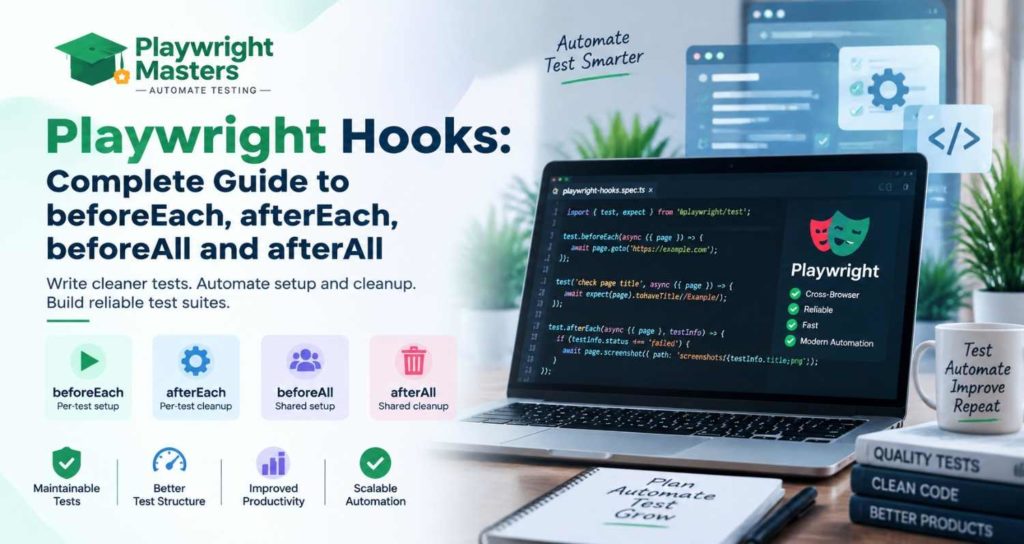
What Are Playwright Hooks?
Playwright hooks are functions that automatically run before or after tests. They are mainly used for common setup and cleanup tasks such as preparing test data, opening a page, collecting debugging information, or cleaning resources.
For example:
import { test, expect } from ‘@playwright/test’;
test.beforeEach(async ({ page }) => {
await page.goto(‘https://example.com’);
});
test(‘check page title’, async ({ page }) => {
await expect(page).toHaveTitle(/Example/);
});
test(‘check heading’, async ({ page }) => {
await expect(page.getByRole(‘heading’)).toBeVisible();
});
Instead of calling page.goto() inside both tests, the beforeEach hook handles the common setup.
Hooks are part of the Playwright Test framework and are useful for organizing the lifecycle around tests.
Why Are Playwright Hooks Important?
A good automation framework usually has three parts:
Setup → Test → Cleanup
For example:
- Prepare the application.
- Run the test.
- Collect useful information.
- Clean up test data.
Hooks help you organize these activities.
Common uses include:
- Opening a page before every test
- Preparing test data
- Creating API data
- Setting up a test environment
- Capturing screenshots after failures
- Logging test information
- Removing temporary records
- Closing shared resources
- Preparing worker-level resources
The goal is not to put everything into hooks.
The goal is to keep repeated lifecycle work in one sensible place.
Types of Playwright Hooks
Playwright Test provides four main hooks.
Hook | Runs | Common purpose |
beforeEach | Before each test | Per-test setup |
afterEach | After each test | Per-test cleanup/debugging |
beforeAll | Before all applicable tests in the scope | Shared setup |
afterAll | After all applicable tests in the scope | Shared cleanup |
Now let’s understand each one.
Before writing your test setup, make sure you understand how Playwright identifies elements using Playwright Locators, such as getByRole(), getByText(), and getByLabel().
What Is test.beforeEach() in Playwright?
test.beforeEach() runs before every test that belongs to its scope.
It is commonly used for test-specific setup.
Example:
import { test, expect } from ‘@playwright/test’;
test.beforeEach(async ({ page }) => {
await page.goto(‘https://example.com/login’);
});
test(‘valid login test’, async ({ page }) => {
// login steps
});
test(‘invalid login test’, async ({ page }) => {
// invalid login steps
});
The hook runs once before the first test and again before the second test.
Common uses
Use beforeEach() for things such as:
- Navigating to a starting page
- Preparing a clean page state
- Setting up test-specific data
- Applying common UI setup
- Loading a test-specific application state
Why it is useful
Each test gets the setup it needs.
This supports test isolation because one test does not need to depend on another test having already prepared the browser.
A common mistake
Do not put extremely expensive operations into beforeEach() unless every test really needs them.
If 100 tests use a five-second setup operation, that setup can become a major part of the suite’s execution time.
What Is test.afterEach() in Playwright?
test.afterEach() runs after each test in its scope.
It is commonly used for cleanup and debugging.
Example:
test.afterEach(async ({ page }, testInfo) => {
console.log(`Finished: ${testInfo.title}`);
console.log(`Status: ${testInfo.status}`);
});
You can also capture a screenshot when a test does not finish as expected:
test.afterEach(async ({ page }, testInfo) => {
if (testInfo.status !== testInfo.expectedStatus) {
const screenshot = await page.screenshot();
await testInfo.attach(‘failure-screenshot’, {
body: screenshot,
contentType: ‘image/png’
});
}
});
This can be useful when investigating failed tests.
Common uses
afterEach() can be used for:
- Test-specific cleanup
- Removing temporary records
- Logging test status
- Capturing screenshots
- Attaching debugging information
- Recording useful diagnostic data
Do not automatically close the page fixture yourself just because a test finished. Playwright manages its built-in test fixtures for you.
What Is test.beforeAll() in Playwright?
test.beforeAll() runs before all applicable tests in its scope.
This is useful when a resource can safely be prepared once for the relevant worker and shared by those tests.
Example:
test.beforeAll(async () => {
console.log(‘Preparing shared test resource’);
});
A common misunderstanding is:
“beforeAll() always runs exactly once for the entire Playwright command.”
That is not a safe assumption.
Playwright uses worker processes. beforeAll() runs once per worker for its applicable scope.
This matters when your test suite runs with multiple workers or when workers are restarted after failures.
Suitable uses
Examples include:
- Creating a worker-level resource
- Starting a service needed by a group of tests
- Preparing data that can safely be shared
- Creating a reusable API context or external resource
Important limitation
Be careful with shared mutable state.
If Test A changes something and Test B expects the original value, sharing that state through beforeAll() can create order-dependent tests.
That can become especially problematic when tests run in parallel.
What Is test.afterAll() in Playwright?
test.afterAll() runs after all applicable tests in its scope have finished.
It is commonly paired with beforeAll().
Example:
test.beforeAll(async () => {
console.log(‘Create shared resource’);
});
test.afterAll(async () => {
console.log(‘Clean shared resource’);
});
Typical uses include:
- Releasing a resource created by beforeAll()
- Removing worker-level test data
- Closing manually created resources
- Cleaning up external connections
The important rule is simple:
If beforeAll() creates a shared resource, afterAll() is a natural place to release it.
Playwright Hook Execution Order
Understanding execution order is essential when building larger test suites.
For a simple file, think about the lifecycle like this:
beforeAll
↓
beforeEach
↓
Test
↓
afterEach
↓
beforeEach
↓
Test
↓
afterEach
↓
afterAll
For two tests:
beforeAll
beforeEach
Test 1
afterEach
beforeEach
Test 2
afterEach
afterAll
The exact lifecycle also includes fixture setup and teardown around the hooks.
This is one reason fixtures and hooks should be understood together rather than as completely separate concepts.
Hooks Inside test.describe()
Hooks can be scoped to a test.describe() group.
Example:
import { test, expect } from ‘@playwright/test’;
test.describe(‘Login Tests’, () => {
test.beforeEach(async ({ page }) => {
await page.goto(‘https://example.com/login’);
});
test(‘valid login’, async ({ page }) => {
// test steps
});
test(‘invalid login’, async ({ page }) => {
// test steps
});
});
The beforeEach() hook applies to the tests inside that group.
This is useful for organizing large suites.
For example:
Authentication Tests
├── valid login
├── invalid login
└── logout
Checkout Tests
├── add product
├── apply coupon
└── complete checkout
Each group can have setup specific to the area being tested.
Nested test.describe() Blocks and Hooks
You can also have nested groups.
For example:
test.beforeEach(async () => {
console.log(‘Outer setup’);
});
test.describe(‘Admin’, () => {
test.beforeEach(async () => {
console.log(‘Admin setup’);
});
test(‘dashboard’, async () => {
console.log(‘Test’);
});
});
For the test inside the nested group, the applicable outer setup runs before the inner setup.
For teardown, the nesting works in the opposite direction: inner teardown happens before outer teardown.
A useful mental model is:
Outer setup
↓
Inner setup
↓
Test
↓
Inner cleanup
↓
Outer cleanup
When several hooks of the same type exist in an applicable scope, registration order matters.
beforeEach() vs beforeAll()
The easiest way to remember the difference is:
beforeEach() prepares every test.
beforeAll() prepares a shared resource for the applicable group/worker.
Feature | beforeEach() | beforeAll() |
Frequency | Before each test | Once per worker for the scope |
Main purpose | Test setup | Shared setup |
Isolation | Stronger | Requires careful design |
page fixture | Available | Not the normal test-scoped page |
Parallel concerns | Usually simpler | Shared-state risks |
Typical example | Navigate to page | Create shared resource |
Best for | Independent tests | Safe worker-level setup |
Do not use beforeAll() only because you want fewer lines of code.
If the setup changes state that tests depend on, sharing it can make tests less independent.
afterEach() vs afterAll()
The same idea applies to cleanup.
Feature | afterEach() | afterAll() |
Frequency | After each test | Once per worker for the scope |
Purpose | Test cleanup | Shared-resource cleanup |
Isolation | Strong | Depends on resource |
Typical example | Capture failure screenshot | Remove shared resource |
Best for | Per-test state | Worker-level resources |
If a test creates a record that should not affect another test, per-test cleanup is often more appropriate.
If a worker creates one resource for its entire group of tests, afterAll() may be appropriate.
How to Use Playwright Hooks with Authentication
Authentication is a common reason people start using hooks.
A beginner might write:
test.beforeEach(async ({ page }) => {
await page.goto(‘/login’);
await page.getByLabel(‘Username’).fill(process.env.USERNAME);
await page.getByLabel(‘Password’).fill(process.env.PASSWORD);
await page.getByRole(‘button’, { name: ‘Login’ }).click();
});
This can work for a small suite.
But repeatedly logging in through the UI before every test can make a large suite slower.
Playwright provides authentication-state techniques using storageState, allowing tests to start with an existing authenticated browser state.
For many suites, authentication setup belongs in a setup project or reusable fixture rather than a UI login inside every beforeEach().
Never place real passwords directly into source code.
For tests that modify server-side state, authentication design also needs to consider parallel workers. Separate accounts or worker-specific authentication may be required so tests do not modify the same account at the same time.
Playwright Hooks for Test Data
Hooks can also prepare test data.
For example:
test.beforeEach(async ({ request }) => {
const response = await request.post(‘/api/test-users’, {
data: {
name: ‘Test User’
}
});
console.log(`Created user: ${response.status()}`);
});
You could then delete the record in afterEach().
test.afterEach(async ({ request }) => {
await request.delete(`/api/test-users/${userId}`);
});
The exact implementation depends on your application.
The important idea is:
Test data should be isolated from other tests whenever possible.
If five workers create and modify the same database record, the test suite can become flaky.
Unique IDs, worker-specific data, and cleanup strategies can help.
Playwright Hooks for Screenshots and Debugging
Hooks are useful for collecting information when a test fails.
For example:
test.afterEach(async ({ page }, testInfo) => {
if (testInfo.status !== testInfo.expectedStatus) {
const screenshot = await page.screenshot();
await testInfo.attach(‘failure’, {
body: screenshot,
contentType: ‘image/png’
});
}
});
testInfo provides information about the current test, including its title, status, attachments, and output paths.
However, do not manually build every debugging feature yourself.
Playwright already provides configuration and tooling for traces, screenshots, videos, reports, and debugging.
For difficult failures, Playwright Inspector and Trace Viewer can be more useful than adding dozens of console.log() statements.
Playwright Hooks vs Fixtures
This is one of the most important concepts for framework developers.
Hooks
Hooks answer:
“What should happen around these tests?”
Fixtures
Fixtures answer:
“What does this test need, and how should that dependency be created and cleaned up?”
For example, a simple hook might be:
test.beforeEach(async ({ page }) => {
await page.goto(‘/dashboard’);
});
A reusable fixture could provide a complete dashboard page object or test dependency.
Feature | Hooks | Fixtures |
Main purpose | Lifecycle actions | Test dependencies |
Reusability | Usually local to test scope | Strong |
Setup | Yes | Yes |
Teardown | Yes | Yes |
Dependency management | Limited | Strong |
Type safety | Normal TypeScript applies | Strong fixture typing |
Cross-file reuse | Less convenient | Excellent |
Test isolation | Depends on implementation | Designed around isolation |
Best use | Small/common lifecycle logic | Reusable framework components |
A good rule is:
Use hooks for simple lifecycle behavior. Use fixtures when setup becomes a reusable dependency.
For example, if five different test files all need the same authenticated page object, a fixture is usually a better framework abstraction than copying the same beforeEach() logic into every file.
Playwright Hooks vs Global Setup
Hooks are not the only way to prepare a test environment.
You also have:
- beforeEach
- afterEach
- beforeAll
- afterAll
- Fixtures
- Project dependencies
- globalSetup
- globalTeardown
A simple decision guide:
Requirement | Suitable approach |
Setup before every test | beforeEach |
Cleanup after every test | afterEach |
Shared setup for a scoped group/worker | beforeAll |
Cleanup for that shared resource | afterAll |
Reusable test dependency | Fixture |
Project-level initialization | Setup project/project dependency |
Legacy/simple global initialization | globalSetup |
Project-level teardown | Teardown project or global teardown |
For modern Playwright projects, project dependencies can be particularly useful for setup projects because they integrate with the Playwright test runner and reporting model.
Do not automatically put everything in globalSetup.
The closer setup is to the tests that actually need it, the easier the suite is usually to understand.
Playwright Hooks and Parallel Testing
Parallel execution changes how you should think about hooks.
Playwright uses worker processes to run tests concurrently.
Suppose you have:
test.beforeAll(async () => {
sharedUser = await createUser();
});
It is dangerous to assume that one sharedUser exists for every test running across the entire machine.
Different workers can have different lifecycle instances.
This matters for:
- Database records
- User accounts
- Files
- API data
- Shared browser state
- Temporary directories
- External services
Avoid mutable global variables that multiple tests can modify.
For example, this is risky:
let orderId;
test.beforeAll(async () => {
orderId = await createOrder();
});
If several tests change the same order, they may interfere with each other.
A better architecture often gives each test or worker its own data.
For complex worker-level resources, a worker-scoped fixture can be a better solution.
Common Playwright Hook Problems
1. Too much code in beforeEach()
Problem: Every test becomes slow.
Why: Expensive setup is repeated.
Fix: Move reusable or worker-level setup into an appropriate fixture or setup mechanism.
2. Using beforeAll() for mutable test state
Problem: Tests affect each other.
Why: Several tests share the same state.
Fix: Create isolated test data or use test-scoped fixtures.
3. Forgetting await
Incorrect:
test.beforeEach(async ({ page }) => {
page.goto(‘/login’);
});
Correct:
test.beforeEach(async ({ page }) => {
await page.goto(‘/login’);
});
Asynchronous Playwright operations should be awaited.
4. Repeating UI login unnecessarily
Problem: The test suite becomes slow.
Fix: Consider authentication state reuse, a setup project, or a suitable fixture.
5. Hiding important business logic inside hooks
If a test depends on ten hidden actions inside beforeEach(), a reader may not understand why the test behaves the way it does.
Keep hooks focused.
6. Hook timeout failures
A hook can fail because navigation, API calls, authentication, or another operation takes too long.
Do not immediately solve every timeout by increasing the timeout value.
First ask:
- Is the application actually slow?
- Is the locator correct?
- Is the API available?
- Is the test data valid?
- Is the hook doing unnecessary work?
- Is there a race condition?
How to Debug Playwright Hook Failures
When a hook fails, follow a structured process.
Step 1: Find where the failure happened
Was it:
- beforeAll?
- beforeEach?
- Test body?
- afterEach?
- afterAll?
Step 2: Read the actual error
Do not immediately increase timeouts.
Look at the failing action.
Step 3: Add focused logging
For example:
test.beforeEach(async ({ page }, testInfo) => {
console.log(`Starting: ${testInfo.title}`);
await page.goto(‘/dashboard’);
});
Step 4: Run one affected test
npx playwright test tests/dashboard.spec.ts:25
Step 5: Use headed/debug mode
npx playwright test tests/dashboard.spec.ts –debug
Playwright Inspector lets you step through actions and inspect locators.
Step 6: Use Trace Viewer
Trace information can show actions, network activity, metadata, and attachments.
This is especially useful for failures that happen only in CI.
Step 7: Check test data and authentication
A hook may be correct while the data or authentication state is wrong.
Step 8: Fix the root cause
Avoid masking the problem with unnecessary waits such as:
await page.waitForTimeout(5000);
Explicit waiting for the correct application condition is usually more meaningful than sleeping for an arbitrary amount of time.
Real-World Playwright Hooks Example: E-Commerce Testing
Imagine an e-commerce test suite.
You want to test:
- Login
- Product search
- Cart
- Checkout
A simple structure could look like this:
import { test, expect } from ‘@playwright/test’;
test.beforeAll(async () => {
console.log(‘Prepare shared test environment’);
});
test.describe(‘Checkout Tests’, () => {
test.beforeEach(async ({ page }) => {
await page.goto(‘/products’);
});
test(‘user can add a product to cart’, async ({ page }) => {
await page.getByRole(‘button’, { name: ‘Add to cart’ }).first().click();
await expect(
page.getByRole(‘link’, { name: /cart/i })
).toBeVisible();
});
test(‘user can open checkout’, async ({ page }) => {
await page.getByRole(‘link’, { name: /cart/i }).click();
await expect(
page.getByRole(‘heading’, { name: /checkout/i })
).toBeVisible();
});
test.afterEach(async ({ page }, testInfo) => {
if (testInfo.status !== testInfo.expectedStatus) {
const screenshot = await page.screenshot();
await testInfo.attach(‘checkout-failure’, {
body: screenshot,
contentType: ‘image/png’
});
}
});
});
test.afterAll(async () => {
console.log(‘Clean shared test environment’);
});
Notice how each hook has a clear job.
- beforeAll() handles broader preparation.
- beforeEach() puts every checkout test at the correct starting point.
- The tests contain the actual business scenarios.
- afterEach() collects failure information.
- afterAll() handles final shared cleanup.
This is much easier to understand than placing all setup, business logic, and cleanup into one large hook.
Playwright Hooks Best Practices
Use this checklist when designing a Playwright framework.
Do:
- Keep hooks small.
- Use beforeEach() for independent per-test setup.
- Use afterEach() for per-test cleanup and diagnostics.
- Use beforeAll() carefully for safe shared resources.
- Pair shared setup with appropriate cleanup.
- Keep test data isolated.
- Consider parallel workers.
- Use fixtures for reusable dependencies.
- Use authentication state when repeated UI login is unnecessary.
- Use testInfo for useful test metadata.
- Use Playwright’s built-in debugging and reporting tools.
- Always await asynchronous Playwright operations.
- Keep setup understandable.
- Make failures easy to diagnose.
Avoid:
- Huge beforeEach() functions.
- Shared mutable test state.
- Hidden business logic.
- Hardcoded real credentials.
- Arbitrary waitForTimeout() calls.
- Using beforeAll() simply to reduce code repetition.
- Copying the same complex hook into many files.
- Assuming beforeAll() means once for the entire multi-worker run.
Should You Use Playwright Hooks or Fixtures?
There is no single answer for every project.
Use hooks when you have simple setup or teardown that belongs naturally to a particular test file or group.
Use fixtures when you are building reusable test dependencies, need clear dependency relationships, or want setup and teardown to be reusable across multiple test files.
For a small project:
Tests
└── beforeEach
└── Tests
└── afterEach
For a larger framework:
Fixtures
↓
Hooks
↓
Tests
↓
Assertions
The goal is not to use fewer lines of code.
The goal is to create tests that are isolated, understandable, reusable, and reliable.
Playwright Hooks Interview Questions
1. What are Playwright hooks?
Playwright hooks are lifecycle functions that run before or after tests and are mainly used for setup and cleanup.
2. What is beforeEach()?
beforeEach() runs before every applicable test and is commonly used for per-test setup.
3. What is afterEach()?
afterEach() runs after every applicable test and can be used for cleanup and failure diagnostics.
4. What is beforeAll()?
beforeAll() runs once per worker for the applicable file or describe scope before its tests.
5. What is afterAll()?
afterAll() runs once per worker for the applicable scope after its tests finish.
6. What is the difference between beforeEach() and beforeAll()?
beforeEach() runs for every test, while beforeAll() runs once for the applicable scope per worker.
7. What is the difference between afterEach() and afterAll()?
afterEach() performs per-test cleanup, while afterAll() handles cleanup for resources shared by the applicable scope.
8. Can hooks be used inside test.describe()?
Yes. Hooks inside a describe block apply to tests within that group.
9. What is the difference between hooks and fixtures?
Hooks organize lifecycle actions. Fixtures provide reusable test dependencies with setup and teardown.
10. How do hooks behave with parallel execution?
Hooks execute within Playwright’s worker-based test execution model. Shared state must therefore be designed carefully so workers do not interfere with each other.
11. How can you capture screenshots after a failed test?
Use afterEach() with testInfo and attach a screenshot when the test status differs from its expected status.
12. Can API calls be used inside Playwright hooks?
Yes. Appropriate Playwright request fixtures or other API clients can be used for setup and cleanup.
13. What happens when beforeEach() fails?
The test cannot proceed normally because its required setup failed. Playwright still manages applicable lifecycle processing according to the test runner’s hook and fixture behavior.
14. What happens when afterEach() fails?
The cleanup hook is reported as a failure, and Playwright continues with applicable lifecycle processing according to its hook handling rules.
15. When should you use global setup instead of hooks?
Use project-level setup or global setup when initialization belongs to the entire test run rather than one test file or test group. For modern projects, project dependencies provide stronger integration with Playwright’s runner and reporting.
Frequently Asked Questions About Playwright Hooks
What are Playwright hooks used for?
They are used to organize setup and cleanup work around tests, such as navigation, test data preparation, diagnostics, and resource cleanup.
Which Playwright hook runs before every test?
test.beforeEach() runs before every applicable test.
Which hook runs after every Playwright test?
test.afterEach() runs after every applicable test.
Can I use page in beforeEach()?
Yes. beforeEach() can use the same test fixtures available to the test.
Can I use page in beforeAll()?
The normal page fixture is test-scoped, so it is not available in the same way as it is in beforeEach() and test bodies. If you need browser access for worker-level setup, use an appropriate worker fixture or manually create the required browser context/page and clean it up.
Are Playwright hooks executed in parallel?
Hooks execute as part of Playwright’s worker-based test execution. The exact behavior depends on test scope, workers, projects, and execution mode.
Should I put login inside beforeEach()?
It can be appropriate for small suites, but repeatedly logging in through the UI can be wasteful. Authentication state, fixtures, or a setup project may be more suitable for larger suites.
Are fixtures better than hooks?
Neither is universally better. Hooks are useful for straightforward lifecycle actions, while fixtures are designed for reusable test dependencies and structured setup/teardown.
Conclusion
Playwright Hooks are simple to learn but important to understand correctly.
The four main hooks are:
beforeAll
beforeEach
afterEach
afterAll
The key is knowing when to use each one.
Use beforeEach() for independent test setup.
Use afterEach() for per-test cleanup and diagnostics.
Use beforeAll() and afterAll() carefully for shared resources within their worker and scope.
As your automation framework grows, move reusable dependencies into fixtures and use appropriate project-level setup mechanisms when initialization belongs to the wider test run.
The best Playwright framework is not the one with the most hooks.
It is the one where every hook has a clear purpose, tests remain isolated, parallel execution is safe, and failures are easy to understand.

Playwright Masters Team
Playwright Automation Testing Experts | Industry-Focused Training & Practical Learning
Playwright Masters is a dedicated automation testing training platform focused on helping learners build practical skills in Playwright automation testing. Our training covers real-world automation concepts, framework practices, coding, debugging, API testing, cross-browser testing, CI/CD, and interview preparation to help learners develop job-ready testing skills.