
What Is Playwright? Testing Tool, Uses, Benefits & Limits
Playwright is Microsoft’s open-source browser automation tool for testing web applications. It controls Chromium, Firefox and WebKit through code, allowing teams to repeat user actions and check the results. Playwright Test adds a test runner, assertions and reporting for JavaScript and TypeScript projects.
This guide explains the software testing tool: what it does, how it works, when to choose it and where its limits matter. In everyday English, “playwright” also means a writer of plays; that is a different meaning.
Updated: 4 November 2026. Written for beginners, manual testers and developers evaluating browser automation.
Table of Contents
ToggleWhat Is Playwright?
A Playwright test can open a website, enter information, follow links and check whether the application responds correctly. The browser performs the actions; your test defines what should happen. This makes Playwright useful for repeating important checks whenever the application changes.
For example, an online learning platform needs to confirm that a learner can sign in, find an enrolled course and open a lesson. Automation can repeat that journey across chosen browsers after a release. A useful test verifies the learner’s course and lesson state rather than merely checking that buttons were clicked.
| Question | Answer |
|---|---|
| Who develops it? | Microsoft and the open-source community. |
| What does it automate? | Web browsers and related HTTP workflows. |
| Is it a programming language? | No. You write automation in a supported language. |
| Is it a browser? | No. It controls supported browsers. |
| Is it free? | The open-source project is free; infrastructure, services and maintenance can cost money. |
The official Microsoft repository is the primary reference for the project and its Apache-2.0 license.
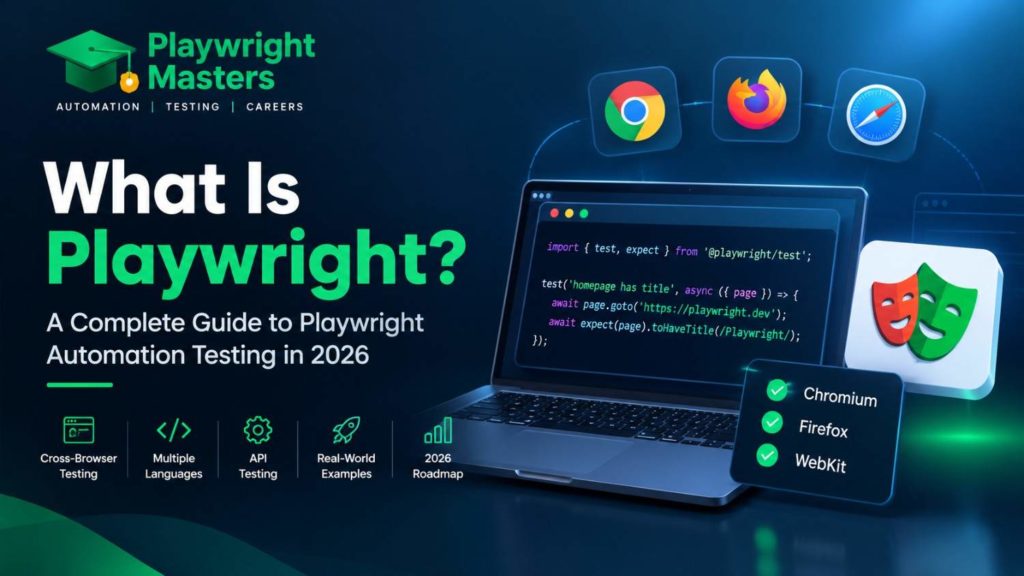
Playwright Explained With a Simple Example
Imagine a learner updates an email address in a profile form. A manual check opens the form, enters the new value, saves it and looks for confirmation. A Playwright test expresses the same actions and expected result in code.
The complete example below supplies its own small page. In an already configured Playwright Test project, save it as tests/profile.spec.ts. It needs no real account or external website.
import { test, expect } from '@playwright/test';

test('profile form confirms a saved email', async ({ page }) => {
  await page.setContent(`
    <label for="email">Email address</label>
    <input id="email" type="email">
    <button onclick="document.getElementById('message').textContent='Profile saved'">
      Save profile
    </button>
    <p id="message" role="status"></p>
  `);

  await page.getByLabel('Email address').fill('learner@example.com');
  await page.getByRole('button', { name: 'Save profile' }).click();
  await expect(page.getByRole('status')).toHaveText('Profile saved');
});
Run npx playwright test tests/profile.spec.ts. The expected result is a passing test after the confirmation appears. Change the expected message to “Wrong message” and the assertion should fail. This illustrates checking behavior; it does not verify database persistence or a real login system.
The example is illustrative, not a claim of a production-tested workflow. For project setup and a full application walkthrough, use the installation and tutorial links below.
Is Playwright a Testing Tool or an Automation Tool?
Playwright supplies automation capabilities. Those capabilities become a test when you define an expected outcome and check it. A script that downloads a report is automation; a test that verifies the report contains the expected records is testing.
You can also use Playwright for permitted browser tasks such as collecting screenshots or reproducing a customer journey. The tool does not decide whether the result is correct. That decision must come from a requirement, expected data or a meaningful assertion.
Why Do We Need Playwright?
Web applications update content after API requests, switch between user sessions and change behavior at different screen sizes. Repeating the same regression checks manually across these conditions takes time. Automation is valuable when the checks are stable, repeatable and important enough to maintain.
Consider a course-enrolment release: a team can repeatedly check search, enrolment and access to purchased lessons, while people investigate usability and unexpected behavior. Playwright supports those repeatable checks. It complements exploratory testing rather than replacing the judgement of a tester.
How Does Playwright Work?
A typical Playwright Test run follows five steps:
- The runner reads the test files and chosen configuration.
- A supported browser starts, with a browser context for the test’s session.
- The test opens a page and identifies a control using a locator.
- Playwright performs the action after the applicable checks, and assertions verify the expected state.
- The runner reports the result and retains configured evidence, such as a trace or screenshot.
Browser, context and page are different things. A browser is the running browser instance. A context is an isolated session within it. A page represents a tab or popup. One scenario may need two contexts for two users, or two pages within one user’s session.
For design decisions beyond this overview, see Playwright architecture.
Which Browsers Does Playwright Support?
| Engine or browser | What to understand |
|---|---|
| Chromium | The open-source engine used by browsers including Chrome and Edge. |
| Firefox | Playwright supplies a supported Firefox build for automation. |
| WebKit | Provides WebKit engine coverage; it is not the installed branded Safari application. |
| Google Chrome / Microsoft Edge | Supported browser channels can target installed branded browsers when configured. |
Choose browser projects deliberately: writing one test does not automatically run it in every browser. Playwright versions are paired with specific browser binaries, so browser installation may need updating when the package changes.
WebKit testing is useful, but it is not proof that every Safari version on every Apple device behaves identically. Verify the actual browser/device combinations required by your product. Refer to official browser support.
Which Programming Languages Does Playwright Support?
Official language options are JavaScript/TypeScript, Python, Java and .NET, commonly used with C#. The application under test does not have to be written in the same language as its tests.
| Your team’s starting point | Practical choice |
|---|---|
| JavaScript or TypeScript | Playwright Test provides an integrated runner and tooling. |
| Python | Use the Python API with the documented testing integration, commonly pytest. |
| Java | Use the Java API with a compatible runner such as JUnit or TestNG. |
| .NET / C# | Use the .NET API and its documented test-framework integrations. |
Choose a language your team can maintain. API names, setup and runner features differ, so a JavaScript snippet should not be copied unchanged into Python. See supported languages.
What Is Playwright Test?
Playwright Test is the JavaScript/TypeScript test framework built around Playwright. The @playwright/test package provides test execution, fixtures, assertions, browser projects, parallel workers, retries and reports.
The browser automation library can also be used in standalone scripts. The distinction matters when you choose documentation: browser actions describe what Playwright can do, while runner configuration describes how a suite is executed and reported. Other language integrations use their own testing frameworks.
Our example imports test and expect from @playwright/test. The official library guide explains when to use the library directly.
What Can You Test With Playwright?
Start with a user outcome, then choose the level at which to check it. Not every requirement needs a full browser journey. The following uses describe the scope of each check rather than promising that one tool covers all quality risks.
1. End-to-End Testing
End-to-end tests check a meaningful journey across the application, such as finding a course, enrolling and confirming access. They are most valuable for critical paths whose failure would block users.
Keep the expected result specific: a correct enrolment record or available lesson is stronger evidence than the absence of an error message. Use test accounts and controlled data so repeated runs remain independent.
2. UI Testing
UI tests check behavior such as form validation, menus, search, dialog controls and error messages. For example, submitting an empty required field should show the intended validation and leave the record unsaved.
A passing UI interaction does not establish accessibility, visual accuracy or server correctness by itself. Add checks appropriate to each requirement.
3. API Testing
Playwright can send HTTP requests with APIRequestContext. Teams use this to check response data, prepare a test record or verify an outcome without navigating through every screen.
This is useful when a browser journey depends on known backend state. Keep full request examples, authentication and cleanup patterns in the Playwright API testing guide.
4. Cross-Browser Testing
Cross-browser tests run the same relevant journey against selected browser engines. A file upload or interactive menu can behave differently across browsers even when the page initially looks correct.
Build the browser matrix around your users and product requirements. Include failures in your investigation; rerunning until one browser passes does not resolve a compatibility defect.
5. Responsive Web Testing
Playwright can emulate settings such as viewport size, user agent, touch capability, locale and timezone. These help check responsive menus, narrow-screen forms and location-sensitive interfaces.
Mobile emulation is not a physical device. It does not prove native iOS/Android app behavior, device performance or every operating-system interaction. Read the official emulation guide and our mobile emulation examples.
6. Authentication Testing
Separate browser contexts help test a learner and an administrator with independent browser sessions. A suite can also reuse prepared login state to avoid repeating sign-in before every scenario.
Login-state reuse is not a substitute for testing login itself. Protect saved state because it can contain sensitive session information. See Playwright authentication for setup and session handling.
7. Network Testing and Mocking
Network interception lets a test observe requests or supply controlled responses. For example, a mocked course-service failure can reveal whether the application displays a useful retry message.
A mocked response proves how the frontend behaves under that supplied condition. It does not prove that the real service works or that the mock matches its current contract. Combine focused mocked tests with appropriate integration coverage.
10 Important Playwright Features
These features support different parts of test work: finding controls, waiting for usable state, keeping sessions separate and explaining failures. Knowing their limits is as important as knowing their names.
1. Auto-Waiting
Before supported actions, Playwright checks conditions relevant to the target. A click, for example, needs an actionable element rather than one covered by an overlay or still moving. This reduces the need for fixed delays.
Auto-waiting does not mean every background request has finished. Check the business outcome explicitly. See the actionability documentation.
2. Web-First Assertions
A web-first assertion checks an expected UI state and retries within its timeout. For example, the profile test waits for “Profile saved” rather than reading the status once immediately after the click.
An assertion turns a sequence of actions into a useful test. Learn how to choose checks in our Playwright assertions guide.
3. Powerful Locators
Locators describe which element the test needs. A button’s role and accessible name, a form label or an agreed test ID can communicate intent more clearly than a long layout-dependent selector.
Repeated buttons need context: identify the correct product card before clicking Add to cart. The Playwright locators guide covers filtering, exact matching and strict-mode errors.
4. Browser Contexts
A browser context separates browser session state, including cookies and local storage. Two contexts let a test model two users without accidentally sharing a login.
Several pages can belong to one context, such as a main page and its popup. Context isolation is a browser-level capability; two users can still affect the same server-side record.
5. Test Isolation
Playwright Test normally supplies each test with a fresh browser context. This helps prevent one test’s session from leaking into another.
Your team still owns backend isolation. If two tests edit the same account, a clean browser session does not prevent a data conflict. Create suitable test records and cleanup rules instead of assuming browser isolation resets the database.
6. Parallel Testing
Parallel workers run suitable tests concurrently. This can shorten feedback time, but the benefit depends on available resources, test independence and application capacity.
More workers are not always faster. Shared accounts, rate limits or a busy server can make parallel runs unreliable. First make the tests independent, then tune concurrency.
7. Codegen
Codegen records browser interactions and generates a starting script. It is useful for discovering locators and seeing how a manual action maps to code.
Review its output and add meaningful checks. A recording does not know the full business requirement, negative cases or data-cleanup rules. See Playwright Codegen for a focused walkthrough.
8. Trace Viewer
Trace Viewer lets you inspect a recorded run: actions, page snapshots and supporting diagnostic information. It helps answer what the browser was doing when a test failed.
Configure trace collection before the run you need to investigate. Follow the Trace Viewer guide when you are ready to diagnose a real failure.
9. Screenshots and Videos
Screenshots and videos preserve visual evidence when nobody is watching the browser, especially in CI. They complement assertions and logs; a recording alone does not mark an incorrect result as a failure.
Visual comparisons are a separate check: Playwright Test can compare a screenshot with a reviewed baseline. Keep rendering environments consistent and investigate differences before accepting a new baseline. See visual comparison guidance.
10. AI and Browser Automation
Playwright’s ecosystem includes browser tooling for AI-assisted work. Official Playwright Test agents include planning, test generation and repair workflows. Playwright MCP connects compatible AI clients to browser capabilities.
You do not need AI to run ordinary Playwright tests. Generated or repaired tests still require review: an agent can change an assertion in a way that hides a defect. Keep expected outcomes grounded in product requirements. Read the official agents documentation or our Playwright MCP overview.
What Does Playwright Cost to Use?
The open-source software has no per-test license charge. A testing budget can still include CI compute, storage for traces and videos, paid device or browser infrastructure, and engineering time.
For a small project, start with a few valuable tests and measure run time, maintenance effort and failure-investigation time. A free tool is not a zero-maintenance test suite. Training and commercial services are separate purchases, not requirements for using the open-source project.
Does Playwright Eliminate Flaky Tests?
No. Waiting and isolation features address some common causes, but unstable test data, ambiguous locators, environment problems and application bugs can still produce intermittent failures.
If a test passes on retry, investigate what changed between attempts. A retry supplies more evidence; it does not prove the original failure was harmless. Start with the failing action, actual page state and expected result rather than increasing every timeout.
Which Test Should You Automate First?
Choose a frequent, important journey with controlled data and a clear result. A learner opening an enrolled course is often a better first exercise than a long checkout involving several external services.
- Write the expected outcome in plain language.
- Prepare one test account and predictable data.
- Automate only the steps necessary to reach the outcome.
- Make the test fail intentionally by changing the expected result.
- Confirm that another run starts from a known state.
Avoid beginning with dozens of recorded clicks. One understandable test is easier to trust and maintain.
What Does a Failed Playwright Test Tell You?
| Observed failure | Possible explanation | Next question |
|---|---|---|
| Cannot find a control | Different screen, label, session or missing data | What page and user state existed at the failing step? |
| Multiple matching elements | The locator is ambiguous | Which component or record should identify the target? |
| Expected result never appears | Application defect, slow dependency or wrong expectation | Did the action and relevant request complete? |
| Only fails in CI | Environment, resource, data or timing difference | What differs in the failed trace? |
A failed test is evidence to investigate, not automatically proof of a product defect or a reason to delete the test.
Playwright vs Selenium
Playwright and Selenium both automate browsers. Evaluate them against the browser matrix, language ecosystem, infrastructure and maintenance needs of your project rather than choosing from a universal “best tool” claim.
Playwright Test offers an integrated JavaScript/TypeScript workflow. A team with an established Selenium suite may have valuable test coverage, integrations and expertise worth preserving. Pilot a representative workflow before planning a migration. For a detailed comparison, use Playwright vs Selenium.
Playwright vs Cypress
Playwright and Cypress offer different testing workflows. Compare the actual requirements of your application: multiple users or tabs, supported browser coverage, component testing, debugging and how tests run in CI.
Run a small proof of concept in the versions you plan to use. A feature list cannot predict your team’s maintenance experience. The dedicated Playwright vs Cypress guide covers the comparison separately.
Advantages of Playwright
| Potential benefit | Why it helps | Condition for getting value |
|---|---|---|
| Repeatable regression checks | Run critical journeys after application changes | Tests assert meaningful outcomes. |
| Browser coverage | Exercise selected engines with a shared approach | Projects match the supported browser matrix. |
| Faster investigation | Inspect traces and other configured evidence | Artifacts are retained and reviewed. |
| Less session coupling | Separate browser contexts for tests or users | Backend test data is also controlled. |
| Shorter feedback cycles | Run independent checks concurrently | Infrastructure can support the chosen concurrency. |
These are capabilities, not measured speed claims for your application. Measure your own suite before promising time savings.
Limitations of Playwright
- Native mobile and desktop coverage: ordinary browser tests do not replace a specialist strategy for native application interfaces.
- Legacy or exact device coverage: confirm the required browser versions and physical devices rather than treating three engines as every environment.
- Performance and security: a passing browser journey does not establish load capacity or security. Dedicated assessment is still needed.
- Accessibility: semantic locators are helpful, but they do not replace keyboard checks, automated accessibility scans and appropriate manual review.
- Maintenance: tests need updates when legitimate behavior, data contracts or supported environments change.
- Human judgement: automation checks the conditions you encode; it cannot demonstrate that every unspecified behavior is correct.
Use Playwright as part of a testing strategy that also includes focused lower-level checks and exploratory testing. Avoid making every requirement a slow end-to-end scenario.
Who Should Learn Playwright?
Playwright is useful for manual testers moving into automation, developers checking browser behavior, QA engineers building regression coverage and SDETs integrating tests into delivery pipelines.
The learning emphasis differs. Manual testers may need more coding practice; developers may need more test-design practice. Existing Selenium experience transfers useful concepts, but learning Selenium first is not a prerequisite.
What Should You Learn Before Playwright?
Learn enough programming to read a function, work with data and understand asynchronous operations. Learn enough HTML to recognize labels, buttons and forms. Most importantly, know how to describe an expected result and choose useful positive and negative cases.
For JavaScript/TypeScript learners, async, await, imports and basic objects are useful early topics. Use JavaScript for Playwright for those foundations; this overview does not repeat the language course.
Where Should You Start With Playwright?
Start with How to Install Playwright to prepare your environment. Then use the beginner Playwright tutorial to write and inspect a first application test.
Check the official installation requirements for current runtime and operating-system support. Follow the documentation for your installed version rather than mixing commands from old and current tutorials.
Choose Your Next Playwright Learning Resource
| Your next question | Focused guide |
|---|---|
| What should I study next? | Playwright learning roadmap |
| How do I organize a growing suite? | Playwright framework guide |
| How do I structure the system? | Playwright architecture |
| How do I investigate failures? | Playwright debugging |
For guided learning, projects and course details, explore the Playwright automation testing course in Hyderabad at Playwright Masters. Choose the learning format that fits your experience and schedule.
What Projects Can You Create With Playwright?
A useful beginner project is a small course portal: verify search, enrolment visibility and learner access. Another is a profile workflow with valid and invalid input. Document the expected outcomes, prepared data, checks and known limits.
Keep the first project small enough to explain and debug. In Playwright configuration, “projects” also means named test configurations, such as different browsers. Those configuration projects are distinct from a portfolio application.
Is Playwright Good for Beginners?
Yes, if you learn testing and programming alongside the tool. Begin with one understandable scenario, inspect its result and deliberately introduce a failure so you can see what the assertion protects.
Do not judge progress by the number of commands memorized. You should be able to explain why the selected element is correct, what outcome is checked and why the test can run again without depending on a previous run.
Is Playwright Worth Learning in 2026?
Playwright is worth evaluating when your work involves modern web application testing and its supported environments match your needs. Its official ecosystem includes active browser automation, test tooling and AI-assisted workflows.
Learning it does not guarantee a job or make an existing framework obsolete. Build transferable skills: test design, coding, debugging, API reasoning and maintaining reliable checks. Assess job requirements separately from a tool’s feature list.
Sources and Editorial Scope
This guide explains the software testing meaning of Playwright and separates capabilities from practical limitations. It is published by the Playwright Masters Team; no independent review by Microsoft or another organization is implied.
- Microsoft Playwright repository — project ownership and license.
- Library and Playwright Test — the distinction between browser automation and its test framework.
- Browser support and supported languages — platform choices.
- Emulation — simulated device and environment settings.
- Playwright Test agents — current AI-assisted testing workflows.
The supplied profile-form example is intentionally small and has no backend. It demonstrates actions and an assertion, not production coverage. Consult the linked official documentation for version-specific requirements.
Frequently Asked Questions About Playwright
What is Playwright used for?
Playwright is used to automate browsers and check web application behavior. Common uses include regression journeys, UI checks, selected cross-browser checks, HTTP API workflows and debugging browser failures.
Is Playwright a language, library or framework?
It is not a programming language. Playwright provides browser automation libraries; Playwright Test adds a JavaScript/TypeScript testing framework. You write code in one of the supported languages.
Who created Playwright, and is it free?
Microsoft introduced Playwright as an open-source project. The project uses the Apache-2.0 license. Optional cloud services, training, infrastructure and maintenance have separate costs.
Can Playwright test a website built with React or Angular?
Yes. It interacts with the browser-rendered application, so the frontend framework does not have to match the test language. Stable test data and meaningful element identification still matter.
Does Playwright test Safari?
Playwright automates a supported WebKit build rather than the branded Safari application. Use WebKit for engine coverage and separately verify exact Safari/device requirements when needed.
Can Playwright test native mobile apps?
It is primarily a web automation tool. Mobile browser emulation does not replace native Android/iOS testing or validation on required physical devices.
Do I need Selenium before learning Playwright?
No. Testing fundamentals and a supported programming language are the useful starting points. Prior Selenium experience can help, but it is optional.
Is Playwright better than Selenium or Cypress?
There is no universal winner. Compare required environments, team skills, workflow complexity, existing coverage and maintenance through a representative proof of concept.
Can Playwright run without showing a browser window?
Yes. Headless execution runs without a visible browser window; headed execution shows one. Both still use a browser, and you should investigate environment differences when a test behaves differently.
Does Playwright need an AI subscription?
Ordinary Playwright tests do not require an AI subscription. Optional AI tools or clients can have their own requirements and pricing.
Can Playwright replace manual testing?
It can repeat defined checks, but it does not replace exploratory testing, usability assessment or deciding what should be tested. Automation and human investigation serve different purposes.
How long does it take to learn Playwright?
There is no reliable single duration for everyone. Existing coding and testing experience, practice time and the complexity of your project determine the learning effort. Start with one small verified workflow before building a larger suite.
Playwright Masters Team
Playwright Automation Testing Experts | Industry-Focused Training & Practical Learning
Playwright Masters is a dedicated automation testing training platform focused on helping learners build practical skills in Playwright automation testing. Our training covers real-world automation concepts, framework practices, coding, debugging, API testing, cross-browser testing, CI/CD, and interview preparation to help learners develop job-ready testing skills.