
Playwright CI/CD: Complete Guide to Running Automation Tests in Continuous Integration
Modern software teams do not wait until the end of a development cycle to discover that an application is broken. Code changes are committed frequently, applications are deployed regularly, and automated tests are expected to validate those changes continuously.
This is where Playwright CI/CD becomes important.
A Playwright test may work perfectly on a developer’s laptop but fail when it runs on a CI server because the operating system, browser environment, environment variables, test data, authentication state, CPU resources, or application URL may be different.

Table of Contents
ToggleA properly designed CI/CD pipeline creates a controlled process for installing the project, preparing browsers, running tests, collecting evidence, and reporting the result.
This guide explains how to build that process around Playwright, including GitHub Actions, environment configuration, authentication, test artifacts, retries, parallel execution, sharding, Docker, debugging, and practical CI/CD architecture.
What Is Playwright CI/CD?
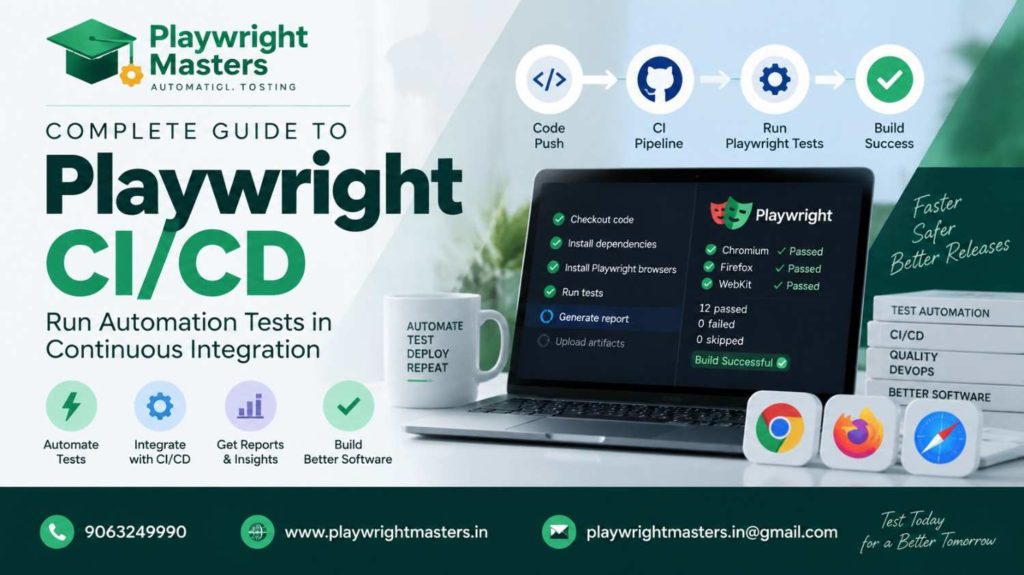
Playwright CI/CD means integrating Playwright automated tests into a Continuous Integration and Continuous Delivery pipeline.
Instead of asking a developer to manually run:
npx playwright test
after every code change, the CI system can execute the test suite automatically.
A typical workflow looks like this:
Developer changes code
↓
Code pushed to repository
↓
CI pipeline starts
↓
Dependencies installed
↓
Playwright browsers prepared
↓
Application/environment prepared
↓
Playwright tests executed
↓
Reports + traces + screenshots collected
↓
Pipeline passes or fails
The important idea is not simply “run Playwright in GitHub Actions.”
The real objective is to create a repeatable testing environment where failures can be investigated instead of merely producing a red build.
Playwright’s official CI guidance describes the basic process as installing project packages, installing browser dependencies, and running the test command.
Why Run Playwright Tests in CI?
Consider a team with five developers.
Each developer modifies different parts of the application. One changes login functionality, another changes checkout, another changes APIs, and another changes the UI.
Without automated CI testing, the team may discover a regression much later.
With Playwright integrated into CI:
Pull Request
↓
Playwright tests
↓
Failure detected
↓
Developer investigates
↓
Fix submitted
↓
Tests run again
↓
Merge
This creates an automated feedback loop.
CI testing is particularly useful for:
- Pull request validation
- Regression testing
- Smoke testing
- Cross-browser testing
- Release validation
- Staging environment testing
- Nightly automation
- Production deployment gates
Playwright’s official documentation recommends running tests frequently in CI and notes that Linux is commonly used for CI execution.
Local Playwright Testing vs CI Playwright Testing
A common beginner mistake is assuming that:
“If my Playwright test works locally, it will definitely work in CI.”
That is not always true.
Your laptop might have:
- A logged-in browser
- Cached credentials
- Installed browser dependencies
- High CPU availability
- A specific screen size
- A different operating system
- A locally running application
- Existing test data
The CI machine may have none of these.
For example:
Local:
Windows
Chrome already installed
Application running on localhost
Saved authentication
High CPU
CI:
Linux
Fresh machine
No browser cache
No saved login
Different environment
Limited resources
This difference explains many “works on my machine” Playwright failures.
The Basic Playwright CI Pipeline
A simple pipeline can be divided into five stages.
Stage 1: Obtain the Code
The CI runner checks out the repository.
Repository
↓
CI runner
The runner now has the Playwright project.
Stage 2: Install Dependencies
Use the lockfile-based installation process:
npm ci
This is useful in CI because the installation is based on the project’s lockfile rather than allowing dependency versions to drift unexpectedly.
Stage 3: Prepare Playwright Browsers
The CI machine needs the browsers and required system dependencies.
npx playwright install –with-deps
If your project only requires one browser, you can install only that browser.
For example:
npx playwright install chromium –with-deps
Playwright specifically recommends installing only the browsers required by the project when appropriate because this can reduce download time and disk usage.
Stage 4: Execute Tests
The actual test command is simple:
npx playwright test
The CI system then receives the exit status.
Conceptually:
Tests pass → exit code 0 → pipeline can continue
Tests fail → non-zero exit code → pipeline can stop
Stage 5: Preserve Evidence
A failed test should not disappear when the CI job finishes.
Useful evidence includes:
- HTML report
- Trace
- Screenshot
- Video when required
- Console output
- Network information
- Test logs
This turns:
“Test failed.”
into:
“Test failed on the checkout page after clicking the payment button, and the trace shows what happened.”
That difference is extremely important for debugging.
Playwright CI/CD With GitHub Actions
GitHub Actions is one of the easiest ways to introduce Playwright into CI.
A simple workflow can look like this:
name: Playwright Tests
on:
push:
branches: [main]
pull_request:
branches: [main]
jobs:
test:
runs-on: ubuntu-latest
steps:
– name: Checkout repository
uses: actions/checkout@v6
– name: Setup Node.js
uses: actions/setup-node@v6
with:
node-version: lts/*
– name: Install dependencies
run: npm ci
– name: Install Playwright
run: npx playwright install –with-deps
– name: Run tests
run: npx playwright test
– name: Upload report
if: ${{ !cancelled() }}
uses: actions/upload-artifact@v5
with:
name: playwright-report
path: playwright-report/
The important concept is the sequence rather than copying a workflow blindly:
Checkout
↓
Node
↓
npm ci
↓
Playwright browsers
↓
Tests
↓
Artifacts
The official Playwright CI documentation provides a similar GitHub Actions workflow.
How Should Playwright Workers Be Configured in CI?
Parallel execution can make Playwright fast, but more parallelism is not automatically better.
Suppose your CI machine has limited CPU and memory.
Running many browser workers simultaneously may create resource pressure.
That can result in:
- Slower pages
- Browser crashes
- Timeouts
- Unstable tests
- Increased memory usage
For this reason, Playwright’s CI guidance recommends starting with one worker when stability and reproducibility are priorities. More powerful self-hosted systems can use additional parallelism.
A configuration can therefore use:
import { defineConfig } from ‘@playwright/test’;
export default defineConfig({
workers: process.env.CI ? 1 : undefined,
});
This gives you different behavior:
Local machine → normal parallel execution
CI machine → controlled worker count
Do not treat workers: 1 as a universal performance rule. Measure your CI environment before increasing or decreasing concurrency.
Playwright Sharding: Scaling Large Test Suites
Imagine your company has 2,000 Playwright tests.
Running them on one machine may take too long.
Instead of simply increasing the number of workers on one machine, you can distribute the suite across multiple CI jobs.
This is called sharding.
For four shards:
npx playwright test –shard=1/4
Another machine can run:
npx playwright test –shard=2/4
Then:
Machine 1 → Shard 1
Machine 2 → Shard 2
Machine 3 → Shard 3
Machine 4 → Shard 4
The goal is to reduce total wall-clock execution time.
Playwright supports sharding across multiple machines and also provides mechanisms for combining reports from different shards.
Sharding becomes particularly valuable when a regression suite grows beyond what a single CI runner can execute comfortably.
Workers vs Shards
These two concepts are often confused.
Workers
Workers are parallel processes used by Playwright on a machine.
One CI machine
├── Worker 1
├── Worker 2
├── Worker 3
└── Worker 4
Shards
Shards divide the overall test suite between separate jobs or machines.
CI
├── Machine A → Shard 1
├── Machine B → Shard 2
├── Machine C → Shard 3
└── Machine D → Shard 4
A large organization may use both.
Environment Variables in Playwright CI/CD
Your test should not permanently contain environment-specific URLs.
Avoid designing tests around:
await page.goto(‘https://staging.example.com’);
Instead, configure the environment externally.
For example:
import { defineConfig } from ‘@playwright/test’;
export default defineConfig({
use: {
baseURL: process.env.BASE_URL,
},
});
The CI pipeline can provide:
BASE_URL=https://staging.example.com
A different workflow can use:
BASE_URL=https://qa.example.com
This allows the same automation code to operate against different environments.
Secrets and Authentication
Authentication deserves special attention in CI.
Never place real passwords directly inside:
test(‘login’, async ({ page }) => {
await page.getByLabel(‘Password’).fill(‘MyRealPassword’);
});
Instead, use CI secret storage.
For example:
await page.getByLabel(‘Username’).fill(
process.env.TEST_USERNAME!
);
await page.getByLabel(‘Password’).fill(
process.env.TEST_PASSWORD!
);
The actual values should come from the CI platform’s secret mechanism.
This is important because CI logs, reports, traces, and artifacts may contain sensitive information.
Playwright’s CI documentation specifically warns that artifacts such as traces, reports, and logs can contain credentials, tokens, source code, or other sensitive information and should therefore be treated carefully.
Reusing Authentication With Playwright
Logging into the application before every test can make a large suite unnecessarily slow.
A better architecture may create authenticated state once and allow suitable tests to reuse it.
For example, a setup test can create:
playwright/.auth/user.json
Then subsequent tests can consume the authenticated state.
The important architectural principle is:
Authentication setup
↓
Reusable authenticated state
↓
Application tests
However, authentication state should be isolated appropriately and should never be committed to a public repository.
Playwright Projects in CI
A Playwright project allows one test suite to be executed with different configurations.
For example:
Chromium
Firefox
WebKit
Mobile Chrome
Mobile Safari
Your CI pipeline can therefore validate different browser environments.
A project-oriented structure might be:
Playwright Tests
│
├── Chromium
├── Firefox
└── WebKit
This is particularly useful when your application has browser-specific behavior.
However, running every browser on every pull request may increase CI time.
A practical organization can separate:
Pull Request
→ fast smoke suite
Main branch
→ broader regression suite
Nightly
→ extensive cross-browser suite
The exact setup should depend on project size and release requirements.
Playwright Retries in CI
CI failures are not always caused by a real application defect.
A network delay, temporary service problem, or environmental condition may cause an otherwise valid test to fail.
Playwright supports retries.
For example:
import { defineConfig } from ‘@playwright/test’;
export default defineConfig({
retries: process.env.CI ? 1 : 0,
});
But retries should not become a way of hiding unreliable tests.
If a test fails frequently and passes on retry, investigate the underlying problem.
A healthy pipeline should distinguish between:
Real product failure
and
Automation/environment instability
Debugging Playwright Tests That Fail in CI
This is one of the most important parts of Playwright CI/CD.
Suppose:
Local → PASS
CI → FAIL
Do not immediately rewrite the test.
Investigate the environment.
Check:
- Browser version
- Operating system
- Application URL
- Environment variables
- Authentication
- Test data
- Timeouts
- Network requests
- Resource usage
- Trace
A trace can reveal what happened before the failure.
Playwright’s documentation recommends Trace Viewer for CI debugging because it provides a timeline, DOM snapshots, network information, and action details.
Trace Viewer in CI
A useful configuration is:
import { defineConfig } from ‘@playwright/test’;
export default defineConfig({
retries: process.env.CI ? 1 : 0,
use: {
trace: ‘on-first-retry’,
},
});
The idea is simple:
Test passes
→ no trace required
Test fails
→ retry
Retry happens
→ trace captured
This avoids generating a heavy trace for every successful test.
Playwright currently recommends on-first-retry for CI tracing rather than recording every test because continuous tracing can have significant performance cost.
Screenshots and Videos
Screenshots can provide useful visual evidence.
For example:
use: {
screenshot: ‘only-on-failure’,
},
Videos can also be useful for selected debugging scenarios:
use: {
video: ‘on-first-retry’,
},
However, do not collect every possible artifact simply because the CI system allows it.
Large suites can generate substantial storage.
A better strategy is:
Normal test
→ minimal artifacts
Failure
→ screenshot + trace
Retry
→ additional diagnostic information
Test Isolation Is Critical in CI
Imagine Test A creates a customer account.
Test B expects that customer account to exist.
If Test A runs after Test B because the execution order changes, Test B may fail.
That is a test design problem.
Each test should ideally create or control the state it requires.
Playwright’s best-practices documentation emphasizes test isolation because independent tests are easier to reproduce and debug.
Think of each test as a small experiment:
Prepare required state
↓
Perform actions
↓
Verify result
↓
Clean/isolated state
This becomes even more important when tests run in parallel.
Managing Test Data in CI
Test data is another major source of CI failures.
For example:
Test expects user ID 1001
But another test has already modified or deleted that user.
Instead of relying heavily on shared data, consider creating controlled test data.
For example:
Test starts
↓
Create unique user
↓
Run test
↓
Verify result
For database-backed applications, teams commonly use dedicated test or staging environments rather than allowing automation to manipulate uncontrolled production data.
Docker and Playwright CI/CD
Docker can make CI environments more consistent.
Instead of asking every CI runner to configure the browser environment independently, a Playwright-compatible container can provide a predictable base.
Conceptually:
Docker image
↓
Node environment
↓
Playwright
↓
Browsers
↓
Tests
This can reduce differences between machines.
However, containerizing the tests does not automatically make bad tests reliable. Test isolation, test data, authentication, and environment configuration still need to be designed correctly.
Jenkins and Playwright
Playwright can also be integrated into Jenkins.
A simple pipeline structure might be:
pipeline {
agent any
stages {
stage(‘Install’) {
steps {
sh ‘npm ci’
}
}
stage(‘Browser Setup’) {
steps {
sh ‘npx playwright install –with-deps’
}
}
stage(‘Test’) {
steps {
sh ‘npx playwright test’
}
}
}
}
The exact Jenkins configuration depends on how your organization manages Node.js, browsers, Docker, agents, credentials, and artifacts.
The important architecture remains:
Checkout
→ Install
→ Browser setup
→ Test
→ Report
GitLab CI and Azure DevOps
The same Playwright strategy can be implemented in other CI platforms.
The platform changes.
The testing concept does not.
For example:
GitHub Actions
GitLab CI
Jenkins
Azure DevOps
CircleCI
Bitbucket Pipelines
All can perform the same fundamental operations:
Get source
Install dependencies
Prepare browser
Run tests
Store evidence
Publish result
This is why learning CI/CD concepts is more valuable than memorizing one platform’s YAML syntax.
A Practical Playwright CI/CD Architecture
For a growing automation project, consider separating tests by purpose.
tests/
│
├── smoke/
│
├── regression/
│
├── api/
│
├── authentication/
│
└── cross-browser/
Then the pipeline can make deliberate choices.
Pull Request
Install
↓
Smoke tests
↓
Fast feedback
Main Branch
Install
↓
Smoke
↓
Regression
↓
Cross-browser
↓
Reports
Nightly
Full regression
↓
Multiple browsers
↓
Extended diagnostics
↓
Reports
This approach prevents every developer change from triggering the largest possible test workload.
How to Make Playwright CI Faster
If your pipeline takes 45 minutes, simply adding more workers may not solve the problem.
Analyze Test Timing Before Optimizing Performance.
Possible bottlenecks include:
- Browser installation
- Application startup
- Authentication
- Repeated setup
- Slow test data creation
- Excessive waits
- Large videos
- Too many browser projects
- Serial tests
- Poor shard distribution
Then optimize the actual bottleneck.
For large suites, sharding can distribute tests across CI machines. Playwright also supports report merging after sharded execution.
Common Playwright CI/CD Mistakes
1. Hardcoding URLs
Environment-specific URLs should not be scattered throughout test files.
2. Hardcoding passwords
Use CI-managed secrets.
3. Installing unnecessary browsers
Only install what the pipeline requires.
4. Depending on test order
Tests should be independently executable.
5. Excessive retries
Retries should help diagnose temporary problems, not conceal unstable automation.
6. No debugging artifacts
A failed CI test without evidence takes longer to investigate.
7. Too much parallelism
More workers can increase resource contention.
8. Sharing mutable test data
Parallel tests can interfere with each other.
9. Running the full regression suite for every tiny change
Use suitable test levels for different pipeline stages.
10. Treating CI as only a command
CI/CD is an engineering workflow, not simply:
npx playwright test
The surrounding environment determines whether the automation is actually useful.
Playwright CI/CD Best Practices
A reliable implementation should follow these principles:
Keep environments predictable
Use controlled versions and reproducible dependency installation.
Make tests independent
Keep Playwright Test Cases Isolated and Self-Contained.
Keep secrets outside source code
Credentials belong in secure CI configuration.
Capture useful evidence
Prefer actionable diagnostics over collecting every artifact for every test.
Start with stable concurrency
Increase parallelism only after understanding resource usage.
Use sharding for scale
When one machine is not enough, distribute work across jobs.
Separate fast and slow suites
Developers need quick feedback, while nightly pipelines can perform deeper testing.
Monitor flaky tests
A test that repeatedly fails and passes on retry deserves investigation.
Keep Playwright updated
New Playwright releases can contain browser compatibility improvements and tooling changes. Playwright recommends keeping the dependency current.
Playwright CI/CD Interview Questions
If you are preparing for an automation testing interview, understand these questions rather than memorizing one-line answers:
What is Playwright CI/CD?
It is the integration of Playwright automation into an automated software delivery pipeline.
How to Set Up Playwright Tests for Continuous Integration ?
Install dependencies, prepare the required Playwright browsers, and execute the Playwright test command.
Local vs. CI: Why Playwright Test Results Can Be Different?
Differences in operating system, browser environment, resources, configuration, authentication, network, or test data can cause different results.
What is Playwright sharding?
Sharding divides the test suite between multiple CI jobs or machines so tests can execute concurrently.
How Workers and Shards Handle Parallel Testing in Playwright ?
Workers provide parallel execution on a machine; shards divide the overall suite across separate jobs or machines.
How do you debug a Playwright CI failure?
Inspect the CI logs and test report and use trace data, screenshots, and other artifacts to understand the failure.
Why is test isolation important?
Independent tests reduce order-dependent failures and make parallel CI execution more predictable.
How do you manage credentials in CI?
Use the CI platform’s secret-management mechanism instead of placing credentials directly inside source code.
Frequently Asked Questions
Is Playwright suitable for CI/CD?
Yes. Playwright is designed to run automated browser tests in CI environments and provides configuration and tooling for common CI workflows.
Which CI tools can run Playwright?
Playwright can be integrated with CI platforms such as GitHub Actions, Jenkins, GitLab CI, Azure DevOps, CircleCI, and others.
Should Every Pull Request Trigger Playwright Tests?
Many teams use a smaller smoke or critical-path suite for pull requests and reserve larger regression suites for main-branch or scheduled execution.
Why should traces be used in CI?
A trace can show actions, timing, DOM state, and network activity around a test execution, making remote failures easier to investigate.
Does Playwright CI require Docker?
No. Docker is one option for creating a controlled environment. Playwright can also be installed directly on CI runners.
Can Playwright tests run in parallel in CI?
Yes. Playwright supports parallel execution, and larger suites can additionally be distributed through sharding.
How can I reduce Playwright CI execution time?
Analyze the slowest parts of the pipeline first. Then consider suitable parallelism, sharding, test selection, browser selection, and better test-data preparation.
Final Thoughts
Playwright CI/CD is not simply about connecting a test command to a CI server.
A useful pipeline must answer several practical questions:
Where will the tests run?
Which browsers are required?
Which environment will be tested?
How will authentication work?
Where will credentials come from?
How much parallelism is safe?
What happens when a test fails?
Where is the trace?
Where is the report?
How will large suites scale?
When these questions are addressed properly, Playwright becomes part of the development feedback cycle rather than a collection of tests that somebody runs manually.
A mature setup can look like:
Code Change
↓
Pull Request
↓
Smoke Tests
↓
Playwright CI
↓
Failure Evidence
↓
Developer Fix
↓
Regression Tests
↓
Cross-Browser Validation
↓
Release
The goal is not to create the most complicated pipeline.
The goal is to create a pipeline that gives the team fast, reproducible, understandable feedback about application quality.
Playwright Masters Team
Playwright Automation Testing Experts | Industry-Focused Training & Practical Learning
Playwright Masters is a dedicated automation testing training platform focused on helping learners build practical skills in Playwright automation testing. Our training covers real-world automation concepts, framework practices, coding, debugging, API testing, cross-browser testing, CI/CD, and interview preparation to help learners develop job-ready testing skills.